
The HITS point-of-sale is an enterprise cloud-based application. This installation will install a small launcher app on your local workstation and will use your internet access to run successfully. This launcher contains security settings to ensure each workstation is registered.
To download and install the HITS point-of sale application, follow the steps below:
Note: If your business uses invoice images, please complete Step #4 after installing.
1: Download and Install HITS:
- To install HITS BPOS click on this link: Click to download the HITS POS Launcher
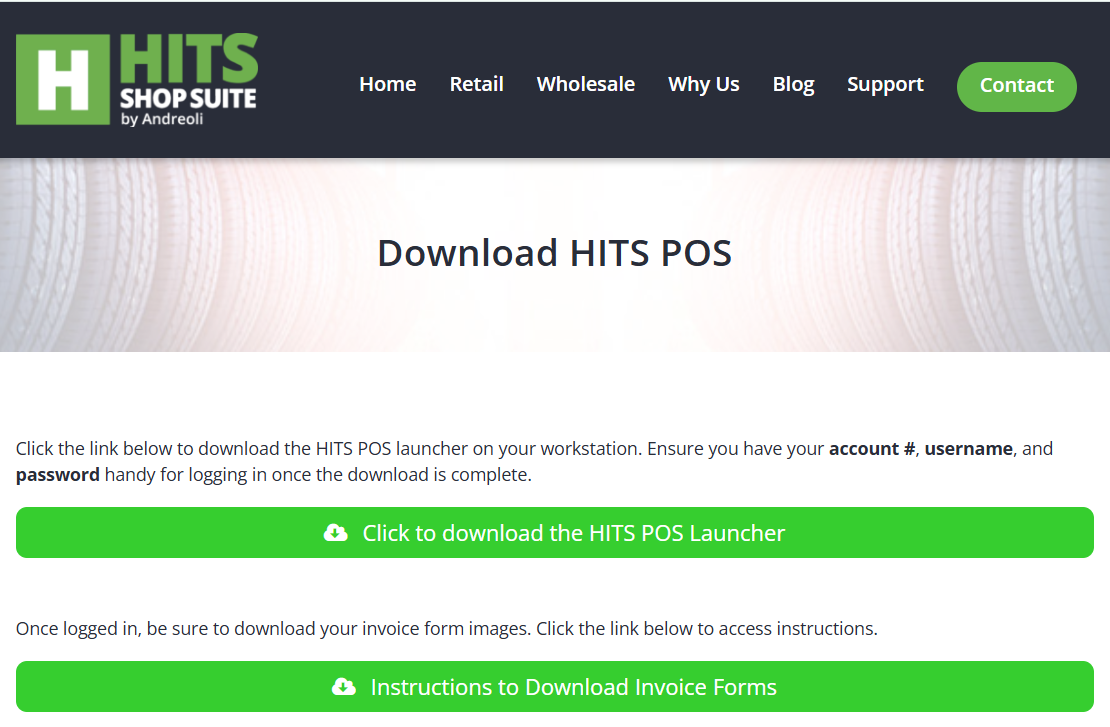
- Once downloaded, run the hits_setup.exe file that downloaded. Follow the HITS Point-Of-Sale Launcher Setup prompts to complete the installation.

2: Login to HITS
Once the installation has been completed, log in to HITS with your account #, username, and password:
Account #: Your HITS Account#
Username: Your Username
Password: Your Password (please note this is in all CAPS)
And then click on Launch HITS.
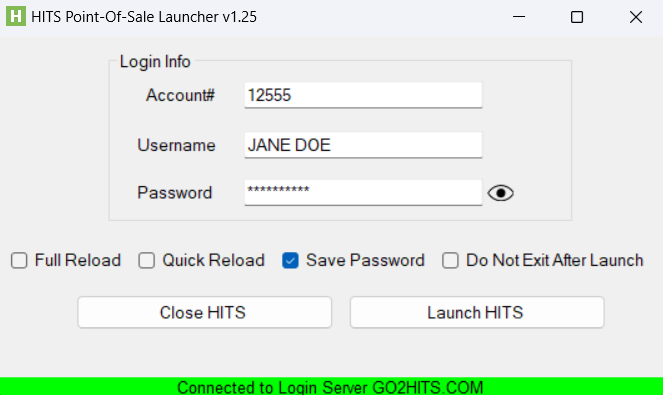
3: Registration Code for new computers:
If you’re downloading the software to a new computer and need to log in as an existing user, contact HITS Support for a registration code if you’re having trouble logging in. HITS Support will provide a registration code with an expiration date to be entered when prompted after HITS installation.
4: Downloading Invoice Image Forms:
If your workstation will be printing or emailing quotes/invoices, download forms for printing invoices with your company’s logo and form data.
Instructions for downloading images can be found here: Downloading Invoice Image Forms
Contact Information for HITS Support:
- Email: tech@aasys.com
- Phone: 800-422-2032
- Hours: 8:30-4:30 EST M-F