
HITS supports the application of cost factors—such as tariffs, handling charges, or overhead burdens—during the inventory receiving process. When creating a new receipt, a vendor must be selected. Any factors applied will adjust the internal item cost without affecting customer-facing prices. These adjustments are reflected in the item’s average cost and ensure accurate gross profit (GP) and commission reporting.
Note: This process adjusts internal costs only. Customer pricing and ticket-level amounts are unaffected by receipt-level cost factors.
Steps to Add a Factor to a Receipt
1.) Create or Open a Receipt
Go to Views > Receiving
Click New Receipt, select a Vendor, and begin entering items. Or open an existing receipt.
2.) Enter Line Items
On the Line Items tab, add product numbers and quantities as usual.
3.) Click Edit Costs & Quantities
This opens the full cost-edit screen where you can apply your factor.
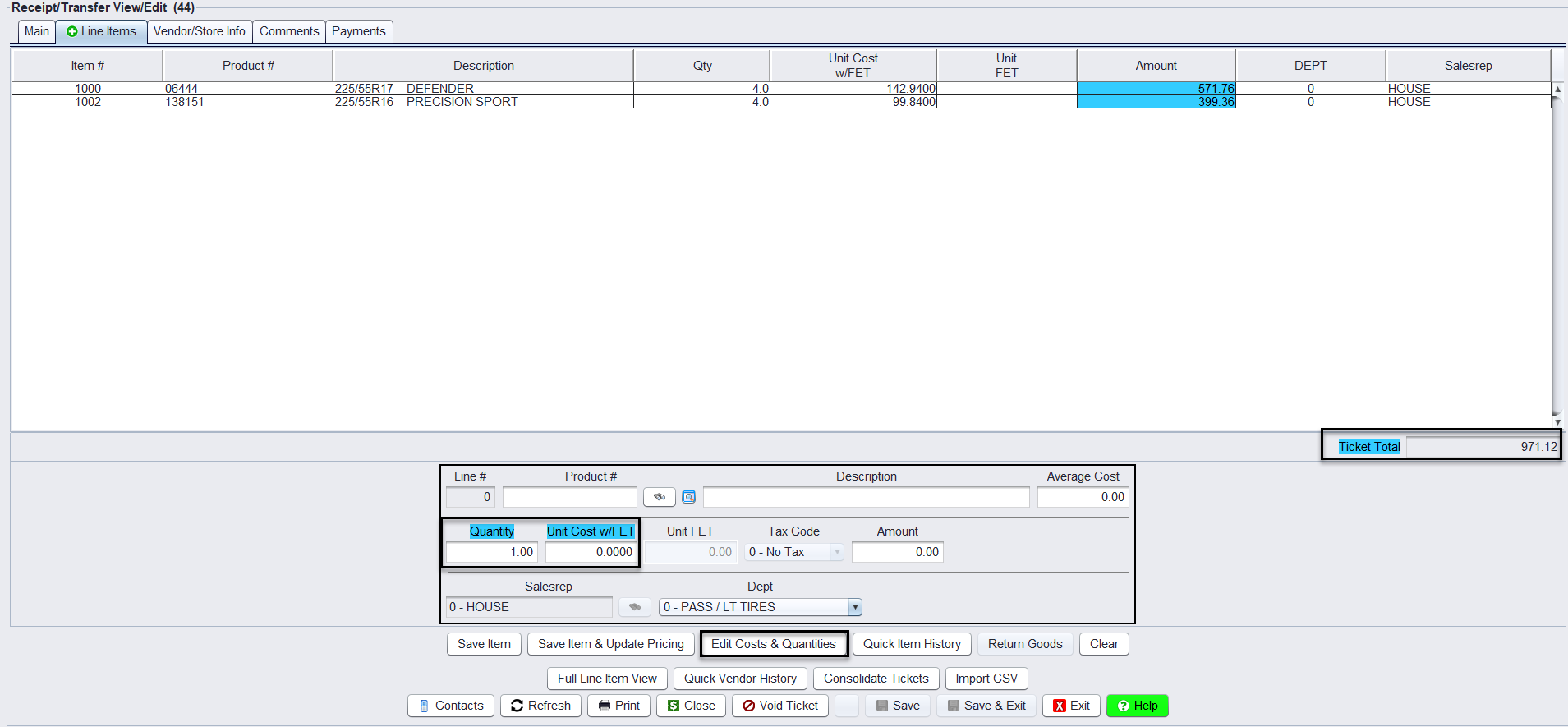
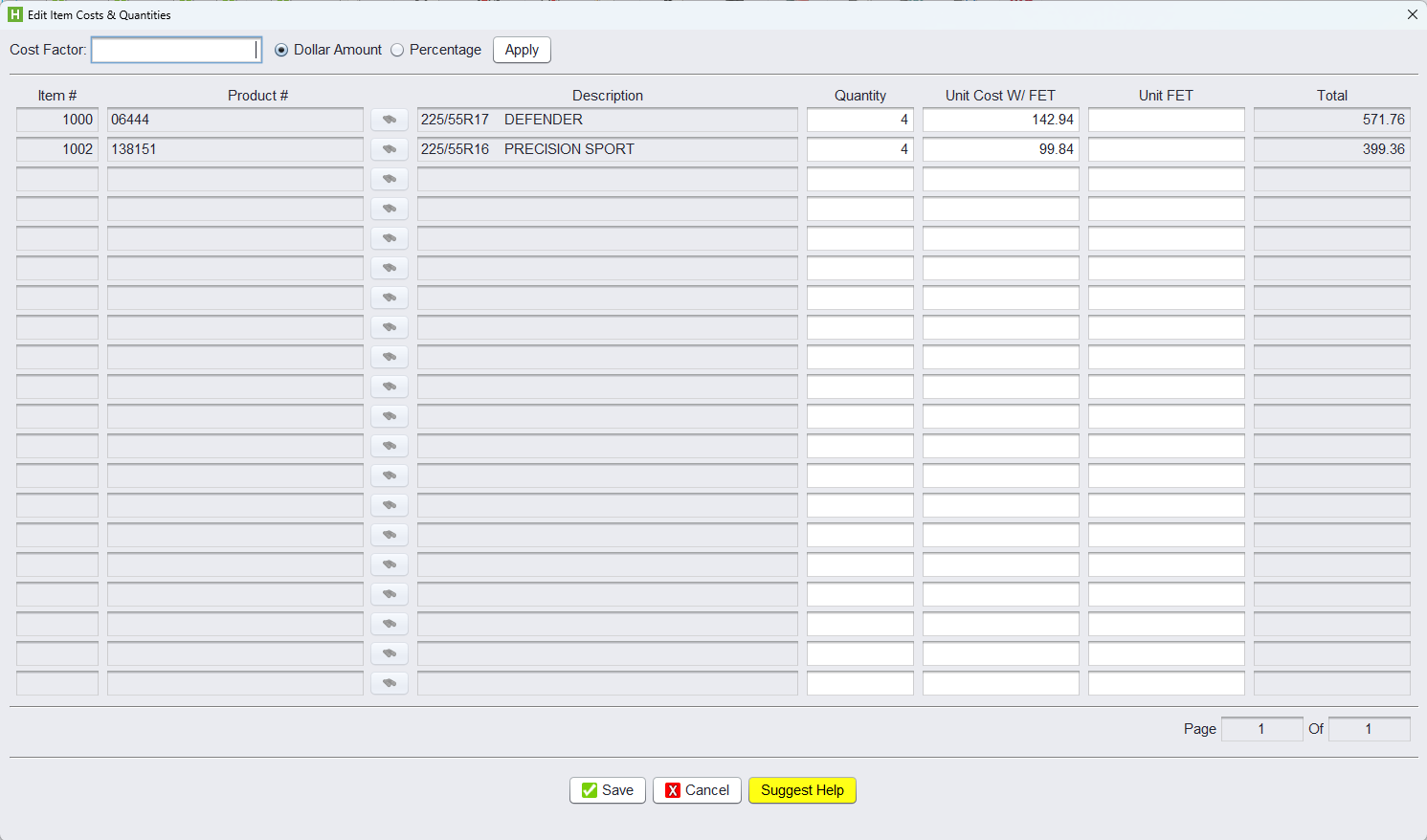
4.) Enter a Cost Factor
At the top of the screen:
-
- Input a percentage (e.g.,
2.00) or flat dollar amount (e.g.,6.13) - Select either:
- 🔘 Percentage
- 🔘 Dollar Amount
- Click Apply
- The cost fields update automatically
- Input a percentage (e.g.,
5.) Save and Post
-
- Click Save to confirm changes
- Return to the main screen and Close the receipt
Benefits of Using Cost Factors on Receipts in HITS
Applying cost factors—for charges such as tariffs, freight, or handling fees—ensures internal item costs reflect true received costs. This improves the accuracy of average cost, gross profit reporting, and sales commission tracking.