
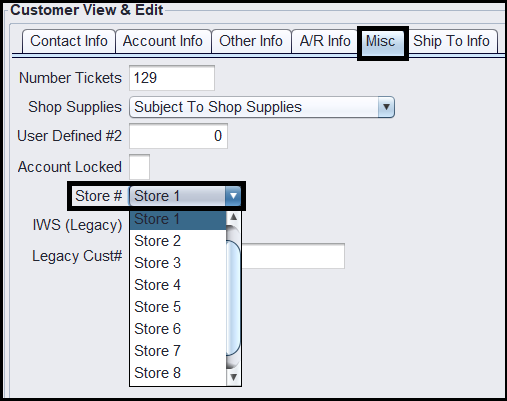
HITS allows a user to setup a customer for a specific store, if you are a multi-location customer, and the customer is a CASH account. While a user is in the Customer View & Edit screen, click on the Misc tab. If the customer is a cash account, you will notice that the “Store#” field can be edited to change the customer from one store to a different store.
If you have an Open Items customer, you will want to reach out to the HITS Technical Support Center to have the customer transferred from one store to a different store. The HTSC can run a program to change the customer from one store to another and efficiently transfer any transactions, if the customer has an active balance.