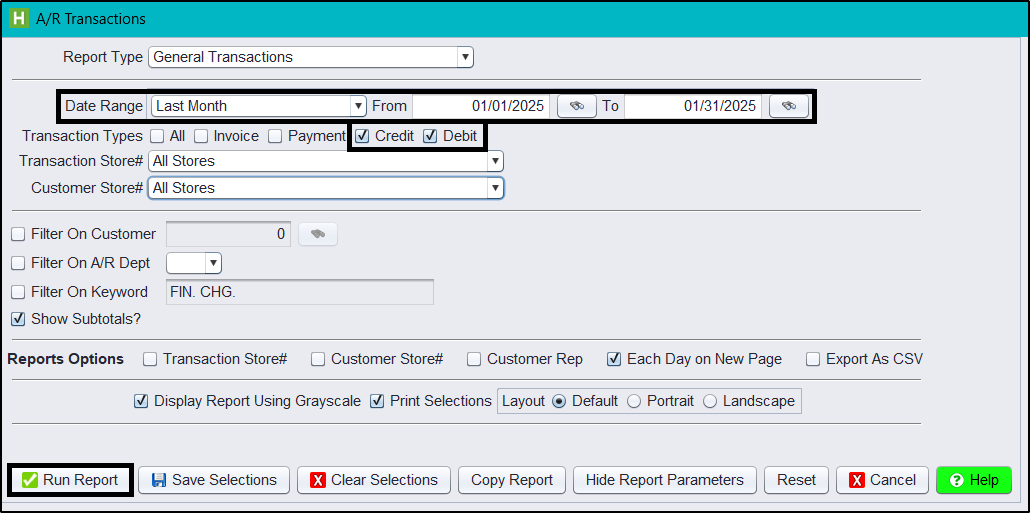
In HITS you can run the A/R Transactions report for a date range for both Credits and Debits. Bookkeepers or CPAs may ask for a list of debit or credit memos for a specific date range, so this report is great to gather this data. To run this report in HITS:
1.) Click Views > Reports
2.) A/R > A/R Transactions
3.) Enter a Date Range (i.e., Last Month)
4.) Uncheck the Invoice and Payment checkboxes so only Credit & Debit are checked
5.) Click Run Report