
HITS supports gift card processing through flexible configuration options that align with your store’s preferred workflow and accounting practices. By using either inventory-based products or discount code tracking, gift cards can be seamlessly sold, redeemed, and accurately reported, all within HITS. These methods ensure proper handling of gift card transactions while supporting full integration with your sales, reporting, and accounting systems.
Method 1: Gift Card as a Credit Card Payment (Recommended for Most)
This method is ideal if your store uses physical gift cards that can be swiped or keyed through a payment terminal.
1.) Purchase Gift Cards
-
- Order physical gift cards from your preferred processor (e.g., Merchant Partners).
2.) Set Up Gift Card as an Inventory Product
-
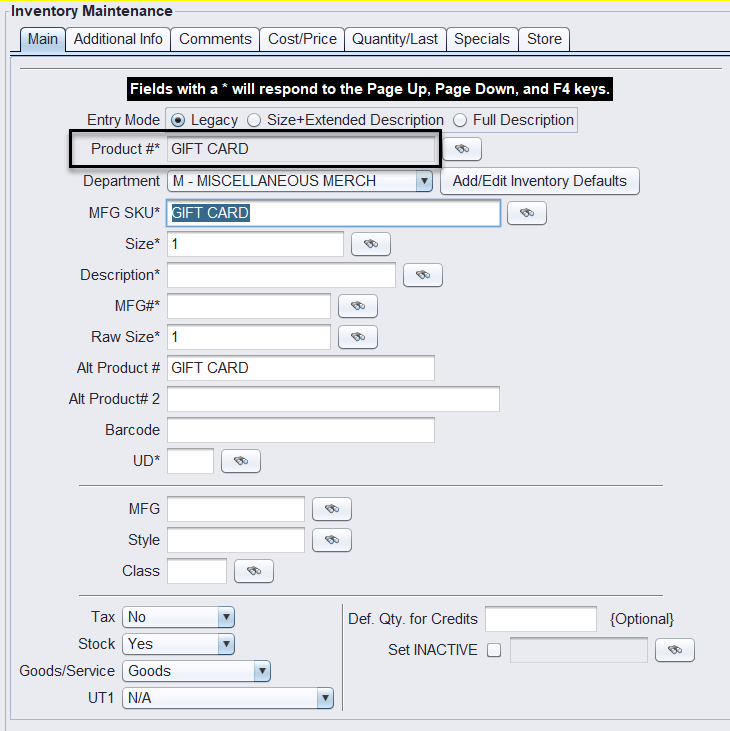
- Go to Inventory > Add/Edit/Delete
- Add a new product:
- Product #:
GIFT CARD - Description: Gift Card
- Cost: Approx. $0.10 (example)
- Stock: Optional – set to “No” if you don’t track quantity
- Department: Use a dedicated department if tracking separately
- Product #:
3.) Add a Gift Card Credit Card Code
-
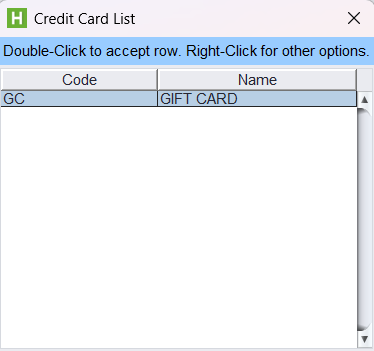
- Contact HITS Tech Support to set up a credit card code named
GC.This allows the system to recognize gift card redemptions as a valid tender type
- Contact HITS Tech Support to set up a credit card code named
4.) Selling a Gift Card
-
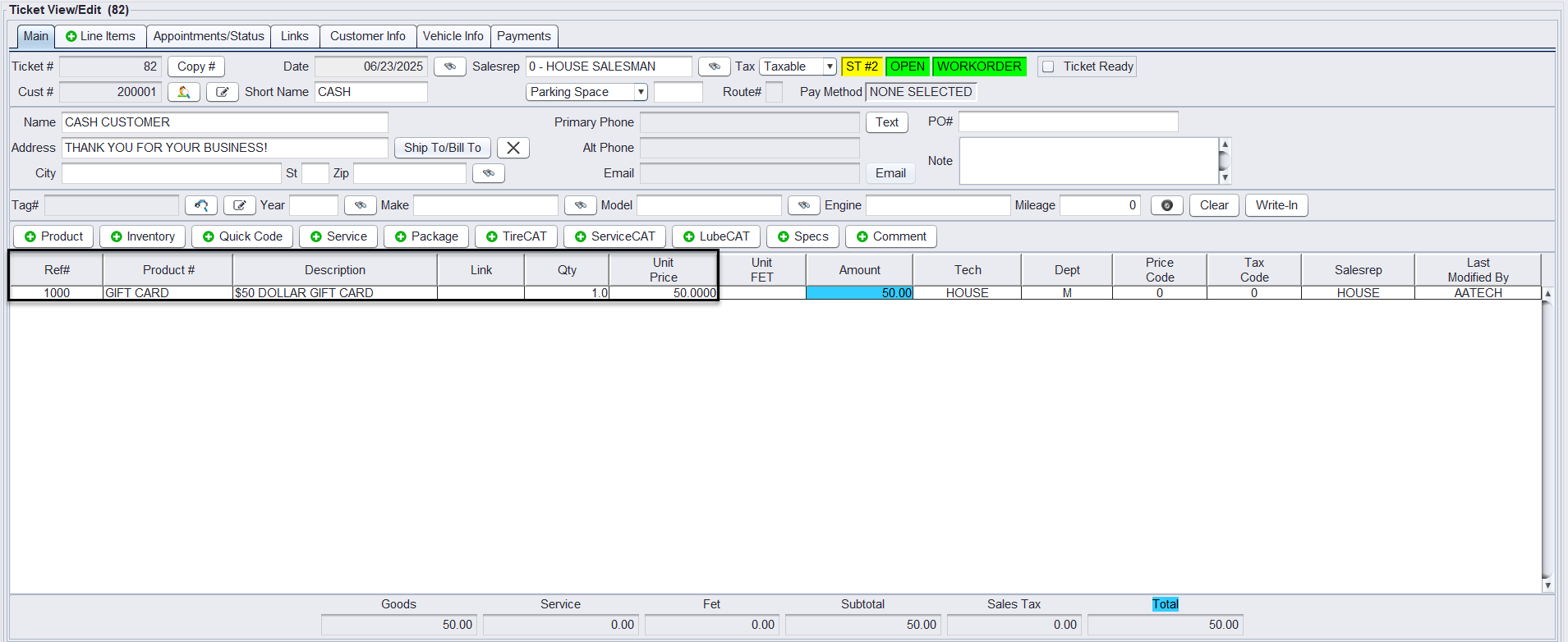
- On an workorder, add the
GIFT CARDline item - Enter the price the customer wants to load (e.g., $25, $50, $100)
- Complete the sale and activate the card via your payment terminal
- On an workorder, add the
5.) Redeeming a Gift Card
-
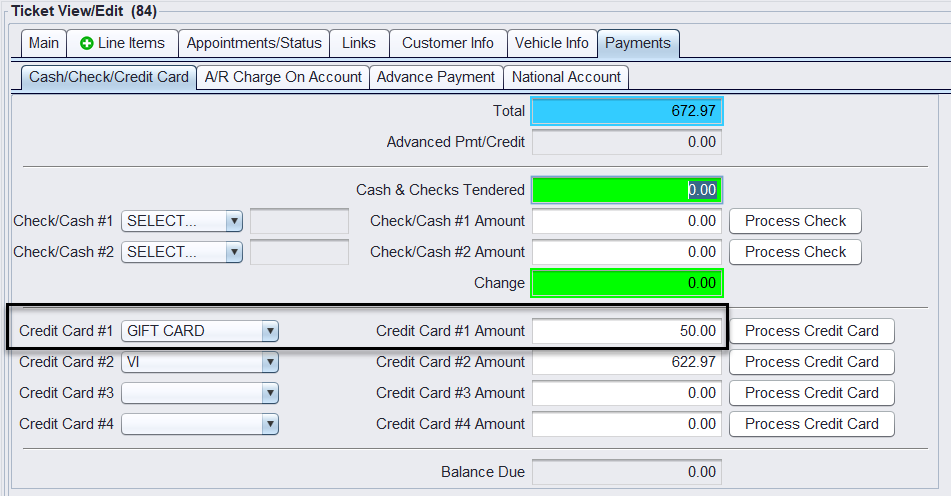
- When a customer returns to use the gift card:
- Swipe or manually enter the card in your payment terminal
- In POS, apply the payment using the Gift Card credit card code
- When a customer returns to use the gift card:
Important: If you purchased the card through 1st Mile, you can swipe it like a standard credit card during checkout. If you’re using a different processor, your redemption steps may vary, refer to your processor’s gift card handling instructions for specific guidance.
Note: Please reach out to 1st Mile Support to activate gift card processing or contact HITS Support to reach out on your behalf!
6.) Accounting Notes
-
- In your accounting software (e.g., QuickBooks), ensure Gift Card (GC) payments are mapped to a Gift Card Liability G/L account
- This prevents the gift card value from being recorded as income twice.
Important: Using this method will inflate sales totals in POS once the gift card is redeemed. This occurs because POS records both the original gift card sale and the merchandise sale at the time of redemption. However, as long as the Gift Card (GC) tender is mapped correctly in QuickBooks, your actual profit and revenue will report accurately in your accounting system.
Method 2: Gift Card as a Discount Code (PCD! Method)
This method is useful for stores that do not redeem gift cards through the terminal, or prefer to apply the value as a manual discount.
1.) Set Up a PCD! Discount Code
-
- Create a new inventory item with:
- Product #:
PCD!-GC - MFG Code:
PCD - Style: Set to default discount type (e.g., Target Price or Dollar Off)
- Price 1: (Optional) Standard redemption value (e.g., $25)
- Taxable: “No”
- Stock: “No”
- Goods/Service: “Service”
- Department: Create a distinct department to track discounts
- Product #:
- Create a new inventory item with:
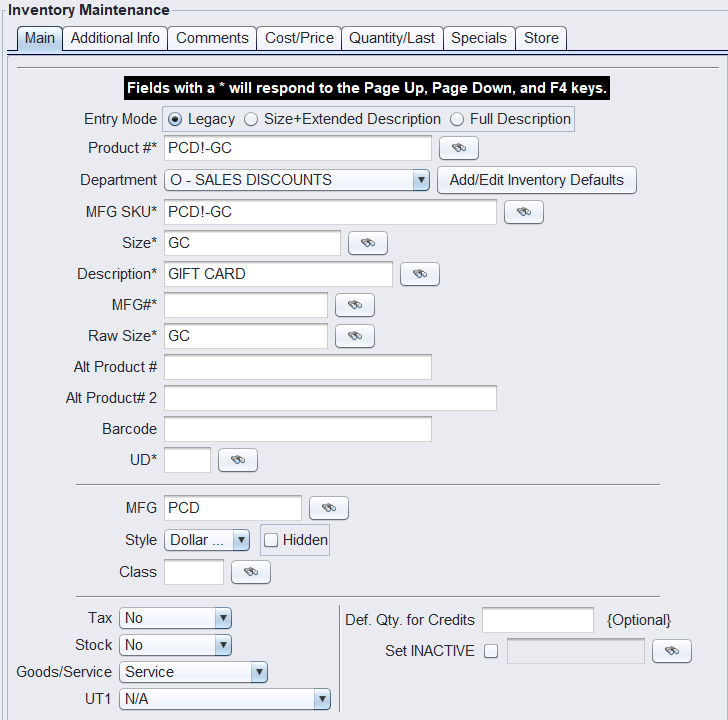
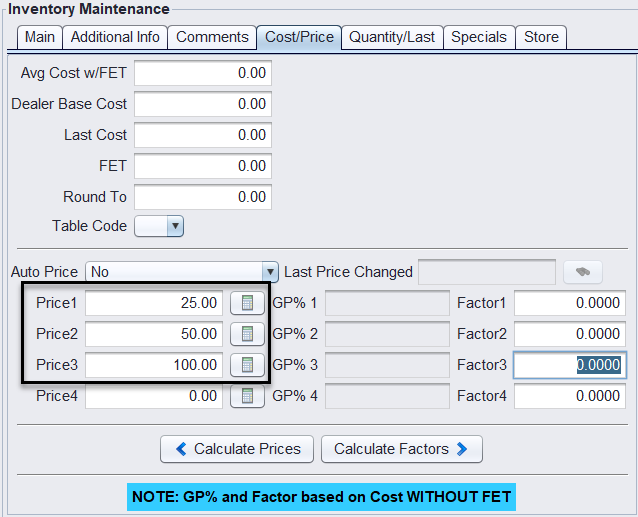
This setup allows gift card redemptions to appear as a discount, not a tendered payment.
📄 Related Doc: PCD! SETUP – Discount Codes Setup
2.) Redeem the Gift Card
-
- Add the
PCD!-GCline item to the customer’s workorder or invoice - Adjust the amount as needed
- The system subtracts the amount from the ticket total as a discount
- Add the
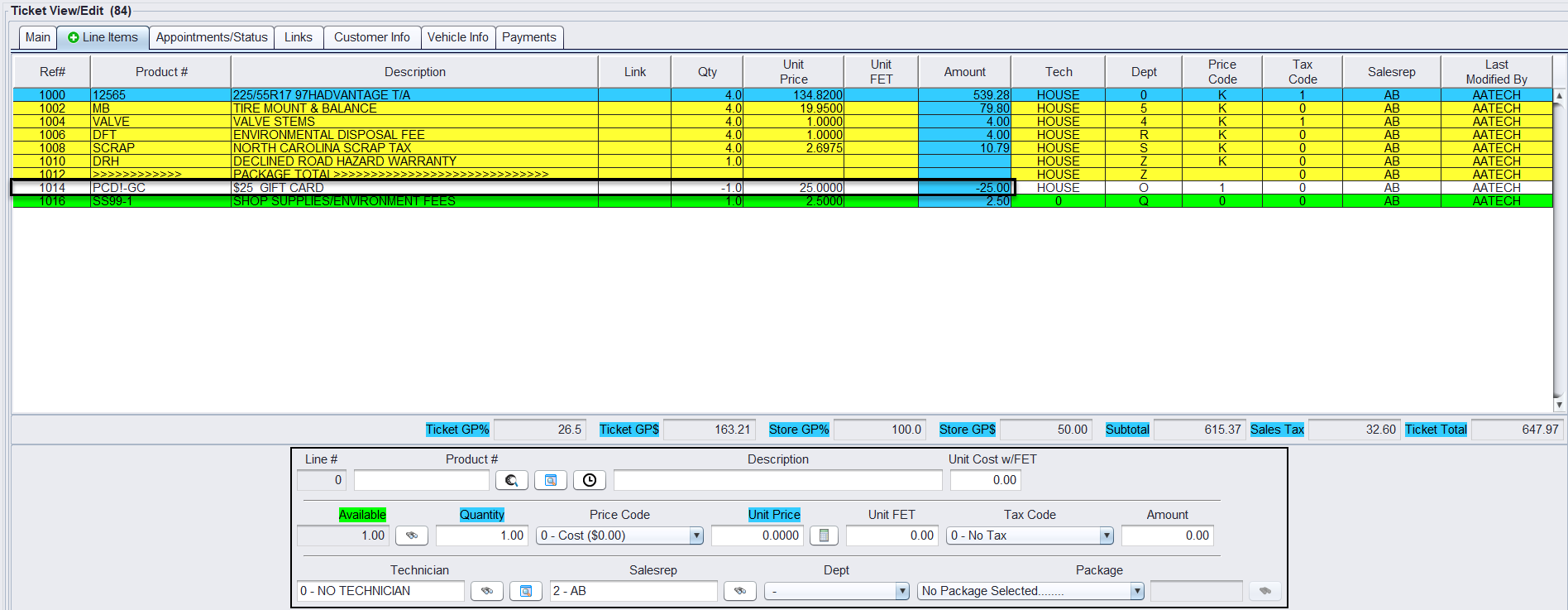
3.) Reporting Notes
Since redemptions are entered as discounts, they do not appear in daily credit card totals within POS.
This method is ideal for stores that do not redeem gift cards through a terminal or want to avoid adding another credit tender type.
Note: When using this method, your daily credit card totals in POS will not match your credit card processor’s totals (e.g., Merchant Partners).
The difference will reflect the total value of gift card redemptions applied as discounts that day.
-
- To track gift card redemptions accurately, use:
- Department-based reporting (if
PCD!-GCis in its own department) - Product number filters such as
PCD!###in Sales Transaction Reports
- Department-based reporting (if
- To track gift card redemptions accurately, use: