
The best way to “delete” a customer in HITS is to mark them as “Inactive”. To do this, a user with permission (P87=!) will need to
1. Lookup the customer and then go to Customers > View Edit
2. From the Account Info tab, mark Account Active = No. Additionally, an Inactive Date can be set for reference to when the customer was set inactive, but is not required.
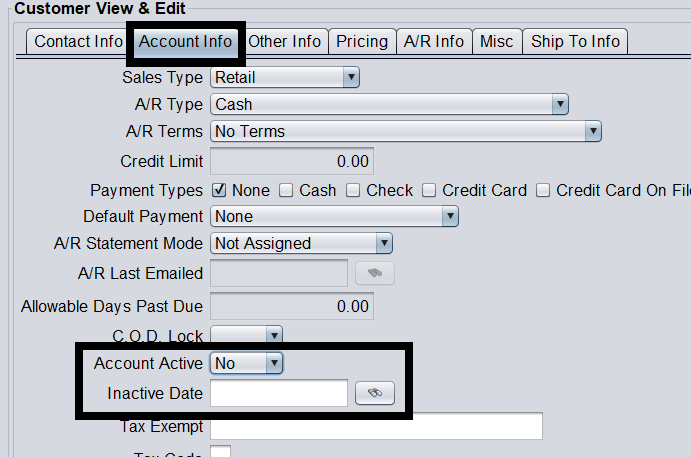
With the customer set inactive, they will no longer appear in searches.
Additional Note: Customers cannot be completely deleted from the system since their customer number could potentially be saved on Invoices or Account Receivable transactions. Deleting these corresponding transactions could affect report and accounting totals.