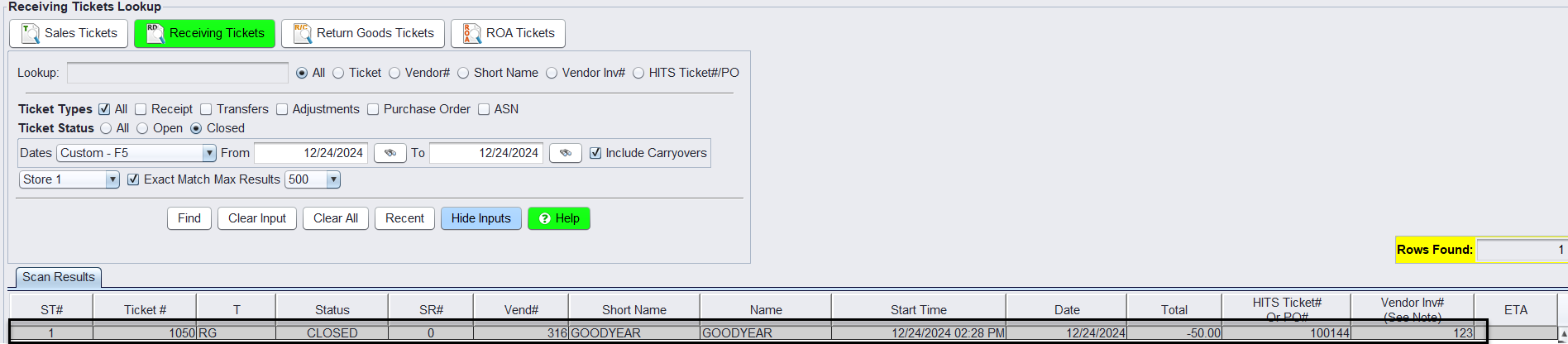
Option 1 – Bookkeeper Posts Credit After Invoice Closes Using Vendor Credit
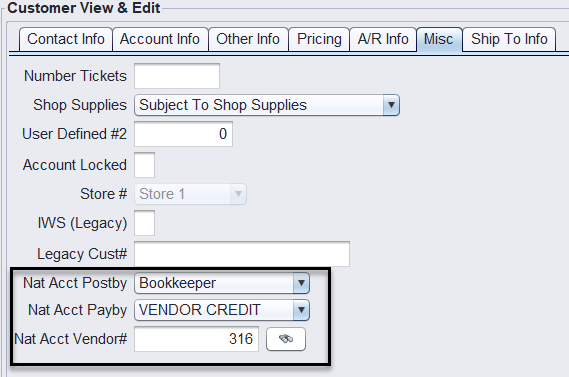
1.) Supplier National Account customer is set up with the following Misc. setup.
Example: Goodyear customer set up with the Bookkeeper Vendor Credit.
Nat Acct Postedby: Bookkeeper
Nat Acct Payby: Vendor Credit
Nat Acct Vendor #: {The vendor # that will receive the negative credit receipt}
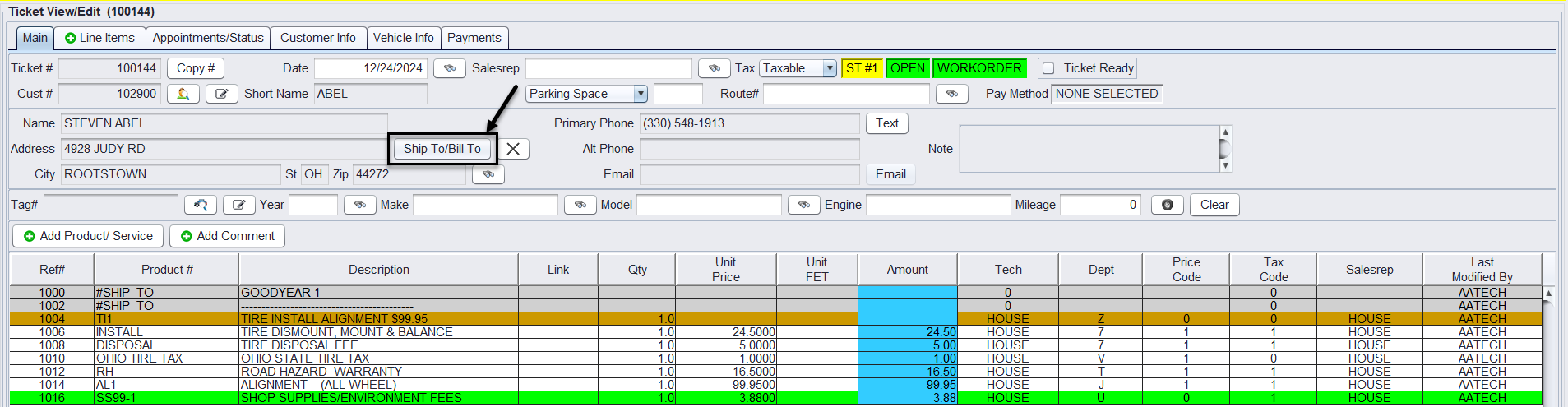
2.) On the customer’s workorder receiving the Supplier National Account Vendor Credit, select the Ship To/Bill To button to add the national supplier providing the credit for this ticket. This will add the supplier name as a Ship To comment on the ticket line items.
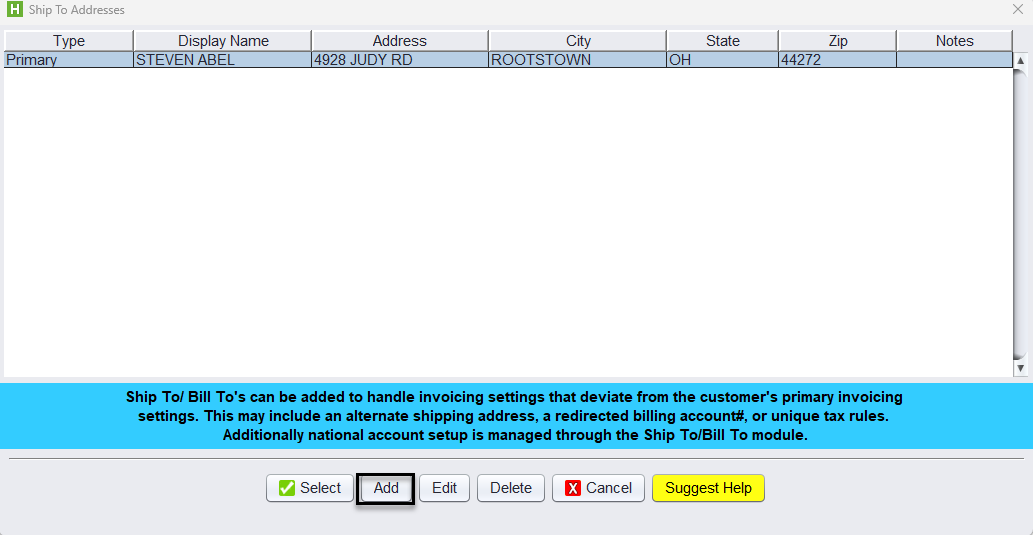
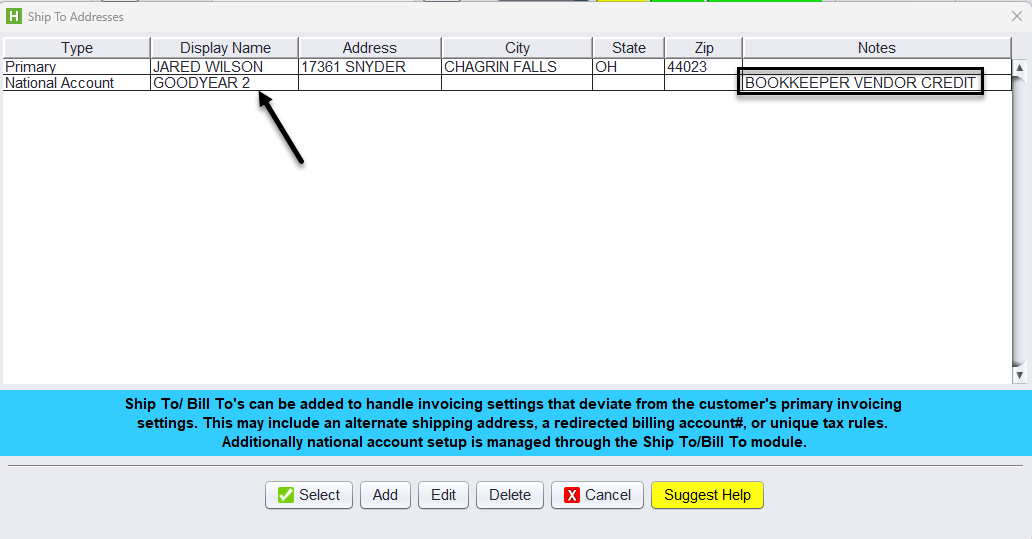
Under the Ship To/Bill To – Click the Add button to add your National Account.
At a minimum, each account must have the following settings:
-
- Type – National Account
- Billing # – National Account Billing account #.
- Use Ship Tax – Use Customer Tax Values or Use Ship To Tax Values
- Tax Exempt # – The Tax Exempt ID #
- Nat Acct Flag – checked by default
- Nat Acct # – Vendor Account # receiving the credit
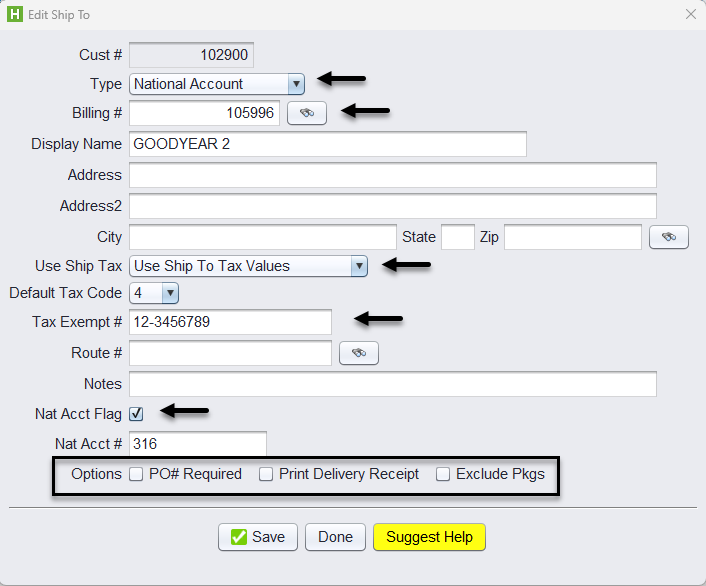
Optionally, you can check the box if:
-
- PO# Required – If a vendor requires a PO# to print on the invoice, check the PO# Required checkbox.
- Print Delivery Receipt – If you would like to print invoices with no pricing and only listing the products that are being sold
- Exclude Pkgs – If the account should not have packages included on their tickets.
Once the account is set up, select the National Account from the Ship To/Bill To table to add it to the ticket.
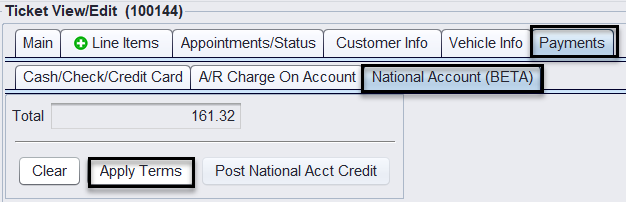
3. To close the ticket, the Salesrep clicks on the Payments tab>National Account (BETA)> Apply Terms > Close button for the total amount of the ticket.
Posting the Vendor Credit
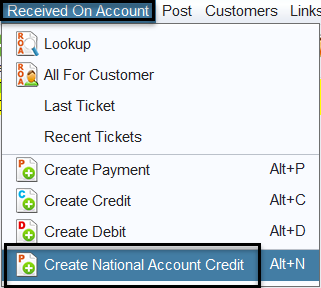
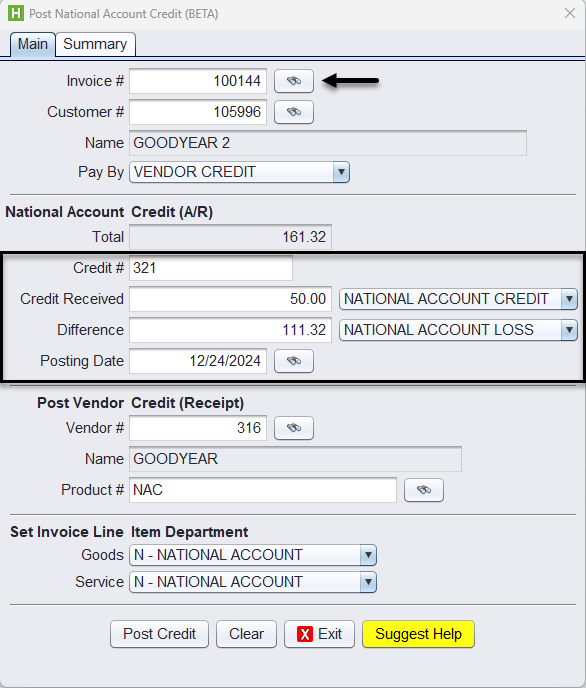
Bookkeepers apply the Credit from Views>Bookkeeping>Received on Account>Create National Account Credit.
Select the Invoice for the National Account Credit to be applied, add the Credit #, add the Credit Amount Received, and the system will calculate the Difference, enter the posting date, then click on Post Credit to finalize the credit.
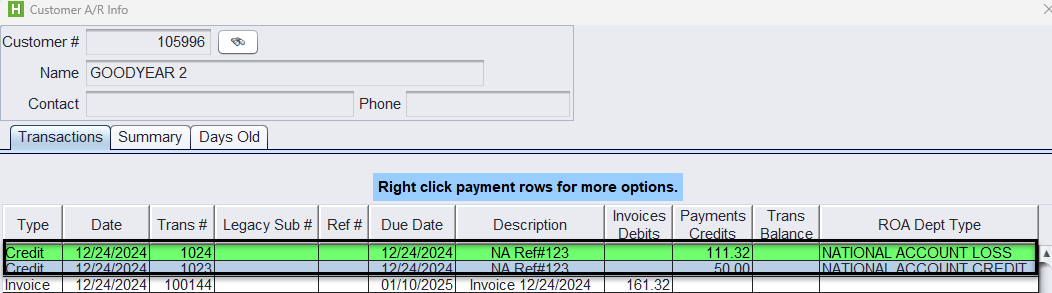
Once the credit is applied the system posts two credits to the supplier accounts A/R Info, one for the remaining amount of the ticket as a National Account Loss and the other as the National Account Credit amount received.
A negative closed receipt is created and printed based on the National Accounts setup.