
Programs are a great way for wholesalers to incentivize customers to purchase specific products by offering rewards or credits based on purchase volume. Programs can either be company offered programs or programs offered by a manufacturer.
HITS supports the following program functionality:
1. Automated or Manual Sellout Reporting (for more information on Sellout reporting click here).
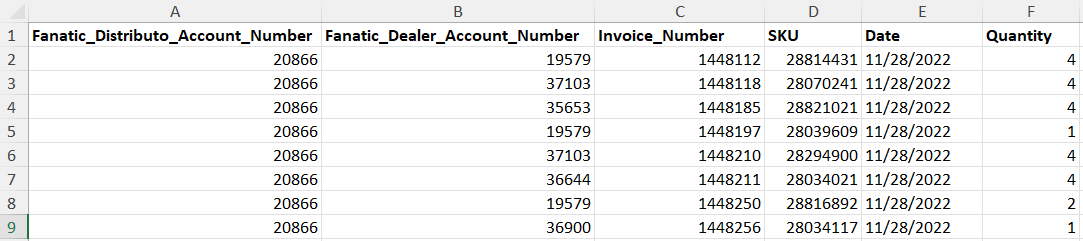
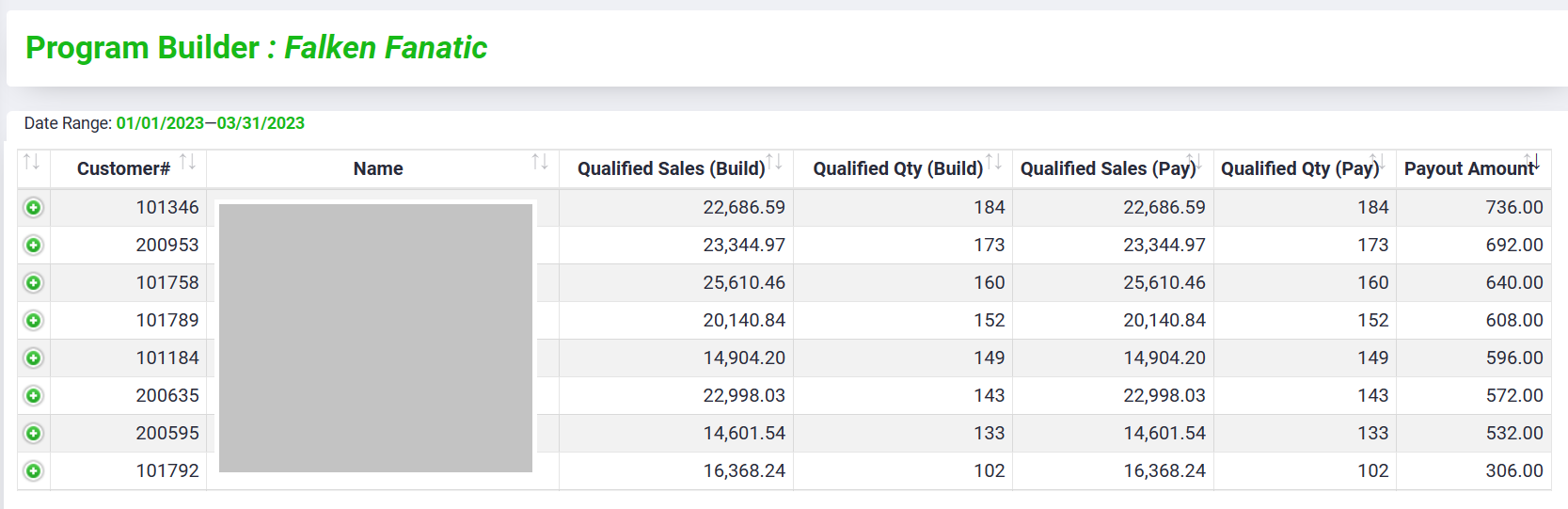
2. Program Reporting for qualified sales and calculating rewards dollars or points
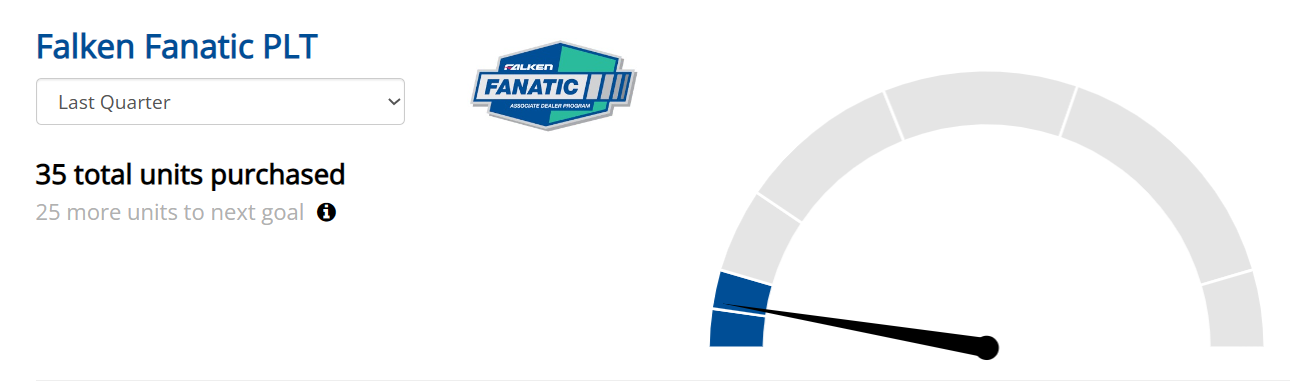
3. Program Tracking for your customers available on your Tirelink e-Commerce website.
This doc will review how to create Programs in HITS Digital. Creating a program is not required for Sellout Reporting. Creating a program is only required if you are wanting to create Program Reports or show Program Tracking on your website.
The following are the technical rules of a “program” in HITS:
1. A program can be base rewards on your customer’s purchases in dollars or units. For example, Customer C must purchase $10,000 to be eligible for rewards.
2. A program contains both a “Build” and a “Pay”. For example, you could use base your “Build” on all units purchased, but only “Pay” rewards on select brands. A customer may purchase 1000 “Build” units, but only gets “Paid” on 300 units for select brands.
3. A program can only contain one payout structure. For example, If Brand A will payout more than Brand B, 2 programs will need to be created to accommodate the two different payout structures.
4. The payout structure can payout based on dollars, percentage of sales, or points.
5. A program can be offered to all customers, a list of customers, or a singular customer.
Setting up programs
To set up a program go to, in HITS Digital go to Settings and then Programs Setup.
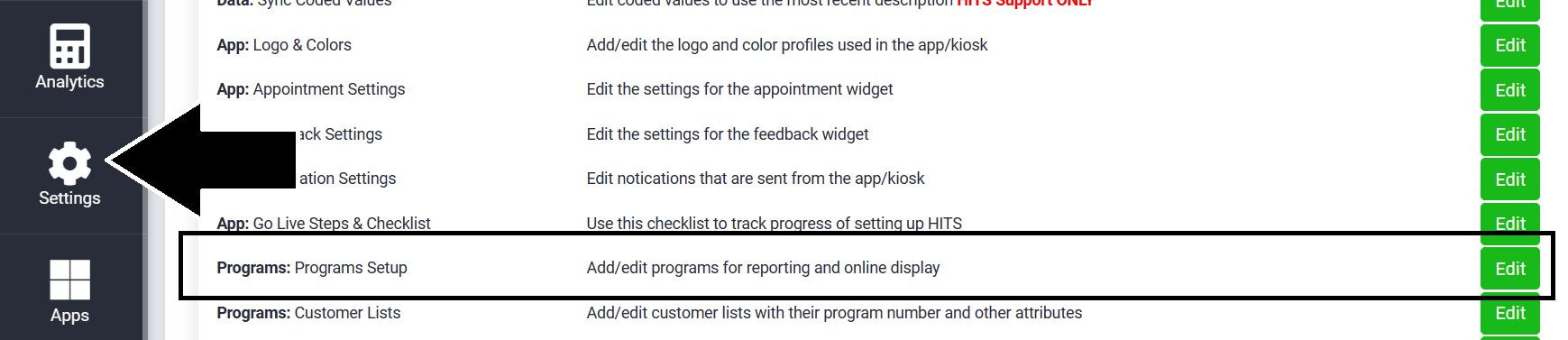
Click Add to add a new program.
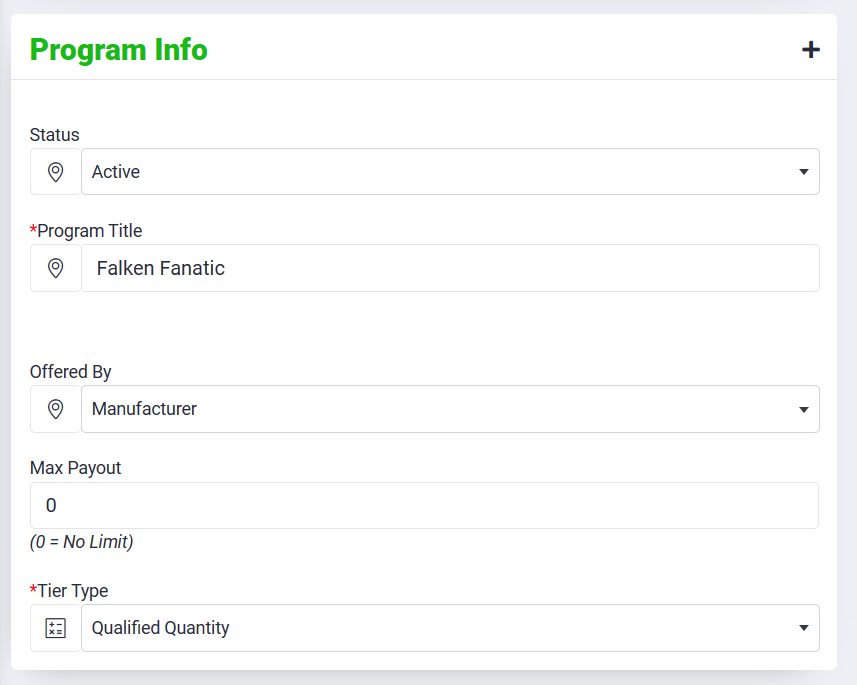
The example below is an example of the Falken Fanatic program:
The program has a title and is set for Tier Type= Qualified Quantity (which means this is a units-based program)
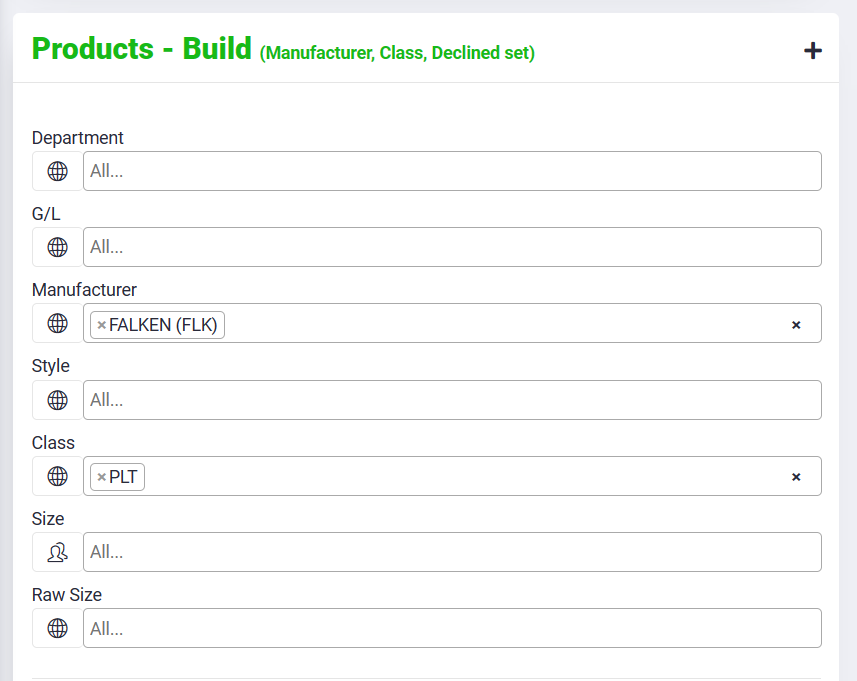
For this program the Products – Build and Products – Pay are the same for Manufacturer = “Falken” and Class= “PLT”
The Tier levels are define by Falken, and entered here. For 0-29 units purchased, the customer will receive $0 reward per tire. For 30-59 units the customer will receive $2 per tire, for 60-124 units the customer will receive $3 per tire, etc.
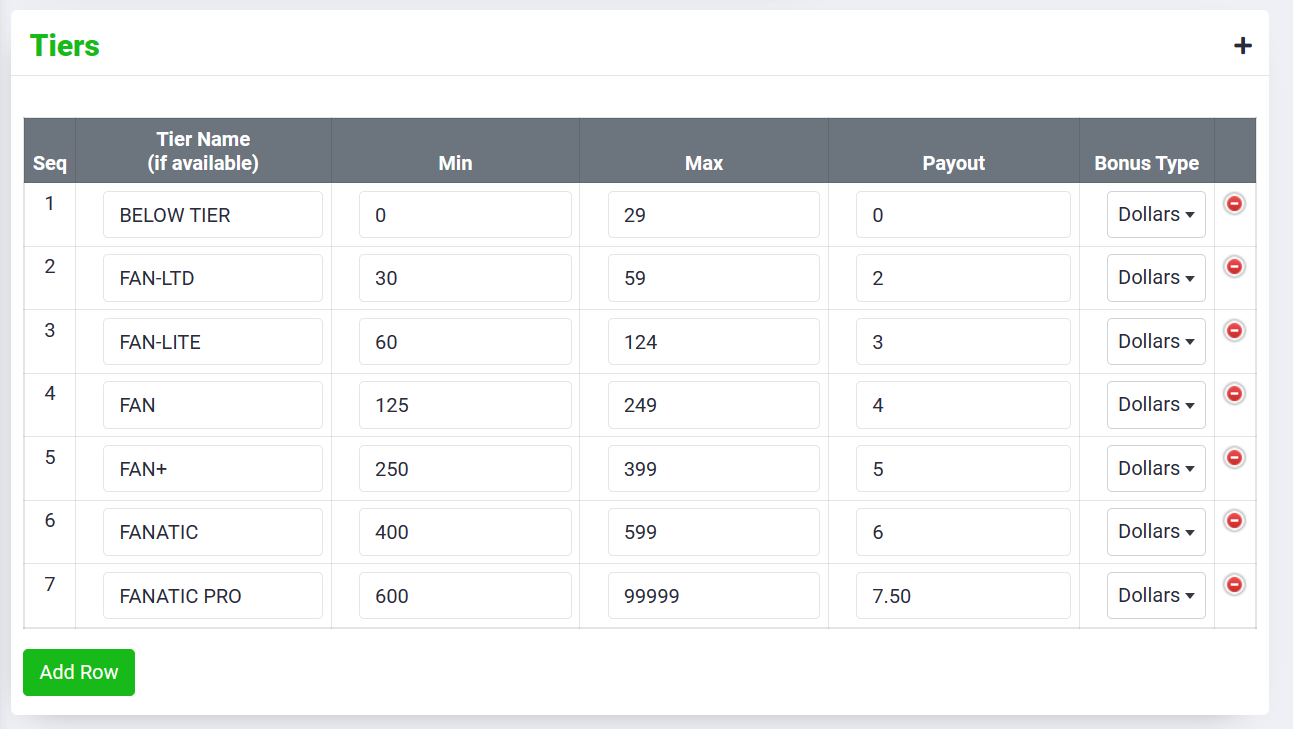
*All programs must start with the first tier Min=0, even if there is no payout for the first tier.
*If different styles had a different payout structure, this would necessitate creating a second program in HITS. In the example above, Falken pays the same for all styles so only a single program is needed.
For this feature, we would highly recommend working with HITS Support Department to ensure your program is set up correctly.
To see how to activate Program tracking on your Tirelink website, click here.
To see how to create Program reports, click here.