The Sales Rep Login feature in TireLink allows authorized HITS users to securely access a customer’s TireLink account to assist with product lookups and order placements.
✅ Key Features
- Mobile & Tablet Friendly: The login page and TireLink portal are fully optimized for use on smartphones and tablets.
- One Customer at a Time: To access a different customer’s site, you must return to the Sales Login page and log in again.
- Bookmark for Easy Access: We recommend bookmarking the login page and adding it to your device’s home screen for quick access.
🔐 Log In with Your HITS POS Credentials
To begin, navigate to your website’s TireLink Sales Login URL, provided by HITS Technical Support.
- Enter your HITS Username and Password to authenticate and access the Sales Login dashboard.
Example: 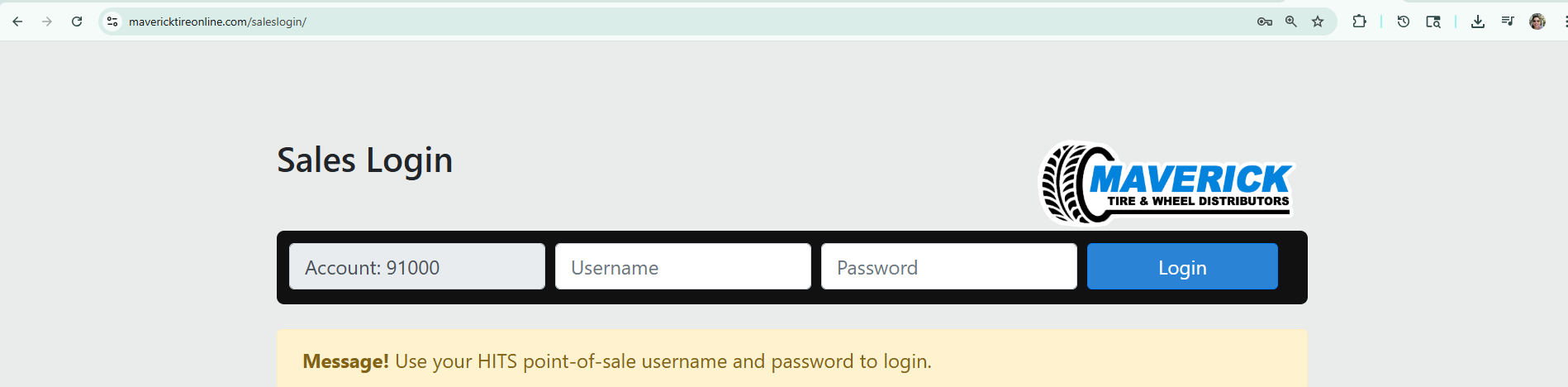
🔒 Access is restricted to internal HITS users only. External customer accounts cannot access this login portal.
👤 Search and Log In as the Customer
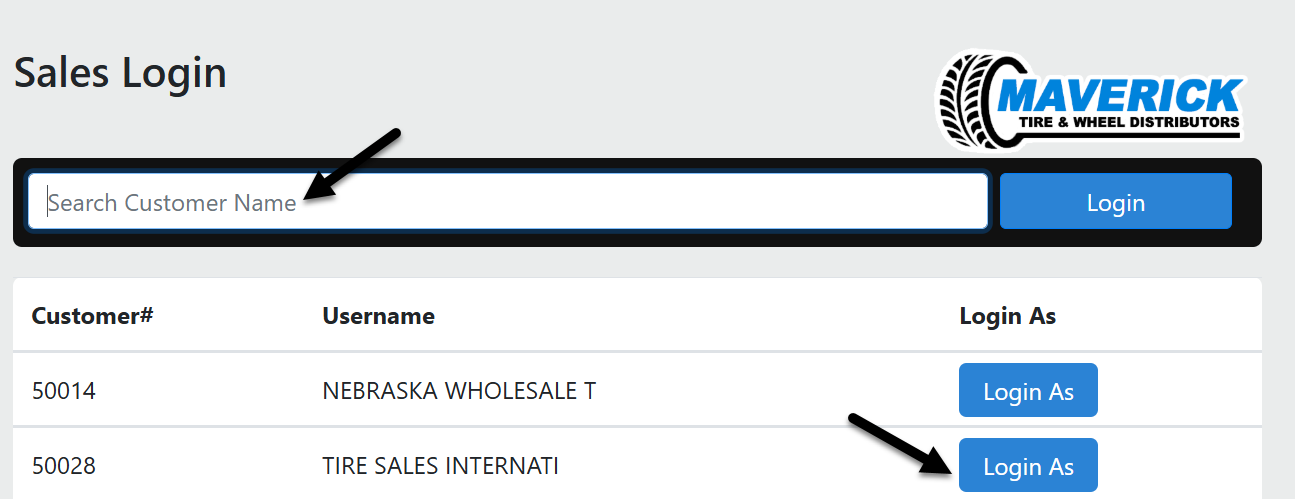
After logging in, you’ll see a searchable list of accounts. Use the search bar to locate the customer by name or account number (e.g., “Tire Sales”).
Click the Login As button next to the appropriate account to log in and view the TireLink website from the customer’s perspective.
This feature enables sales representatives to assist customers directly by placing orders, reviewing product availability, and navigating the site on their behalf.