
HITS Digital supports sellout reporting that can be run manually or automated for daily delivery. Sellout reports are designed to meet the reporting requirements of tire manufacturers and dealer programs.
To set up a manufacturer sellout report, you’ll need to complete the Sellout Request Form. During the request, you’ll be asked to provide FTP delivery details and mapping files required by the manufacturer.
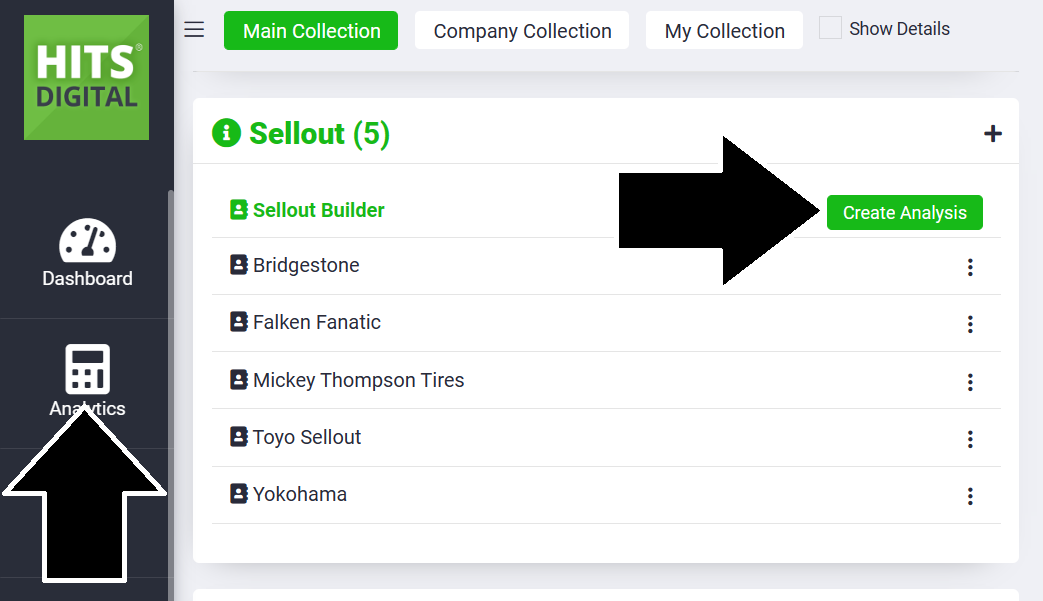
In HITS Digital
Sellout reports are created using customer and store mapping information and are tailored to each manufacturer’s requirements. These reports typically include details such as dealer IDs, distributors, invoice numbers and dates, product codes, quantities, and selling prices.

Automation (Optional)
Reports can be run manually or set up for automated delivery through FTP or SFTP. Automation is available with an additional cost and ensures reports are transmitted to the manufacturer on a scheduled basis.
Available Manufacturer Sellout Reports
HITS supports the following sellout reporting formats:
-
- Americus
- Cooper / Mastercraft
- Bridgestone
- Delinte
- Falken
- GT Smart
- Goodyear – Retail Sales
- Goodyear – Wholesale Sales
- Kenda
- Kumho
- Michelin
- Milestar
- Nexen
- Nokian
- Thunderer
- Toyo
- Toyo EDI CSV
- Yokohama
Each manufacturer/program has its own required data fields and setup process. Tech Support will use the documentation specific to each program (e.g., Americus, Nokian, etc.) when completing the setup.
How to Request a Sellout Report
To request setup of a manufacturer sellout report:
1.) Complete the Sellout Report Request Form on hitshelp.com.
2.) Provide your FTP credentials and required CSV files.
3.) Indicate whether automation is needed (automation requires authorization for additional cost).
A HITS Support representative will review your submission and complete the configuration using the program-specific setup instructions and will reach out with any questions.