HITS allows you to send out statements as well as auto-email closed invoices to your customers. You will need to set this up on an account basis. To do so in HITS:
1.) Lookup the Customer
2.) Click on Customers –> View/Edit
3.) Right-click on the preferred Email Address and select Edit
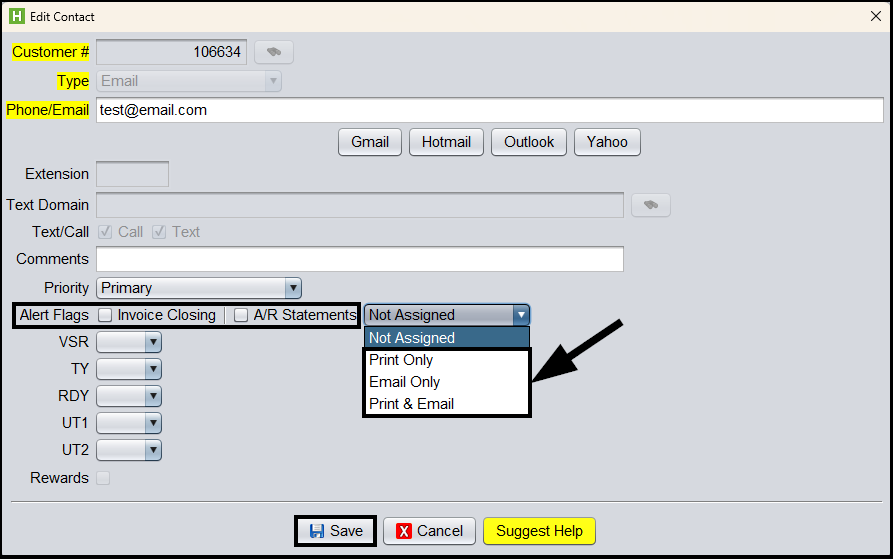
4.) Check the appropriate Alert Flags checkbox (invoice closing or A/R Statements or both)
5.) If you will be sending A/R Statements, you will need to make the appropriate selection for A/R Statements drop-down menu (i.e., Not Assigned, Print Only, Email Only or Print & Email)
6.) Click Save