
Store distributor number lists (csv) can be uploaded into HITS digital to help facilitate program sellout reporting.
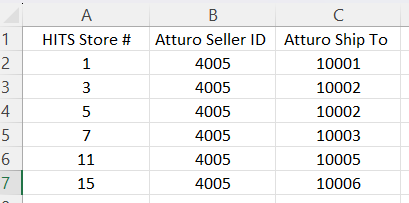
The store list would be used to map a HITS Store# to a program seller id or location id. A store list would usually be 2 or 3 columns.
To manage store lists in HITS Digital, go to Settings > Store Distributor Numbers
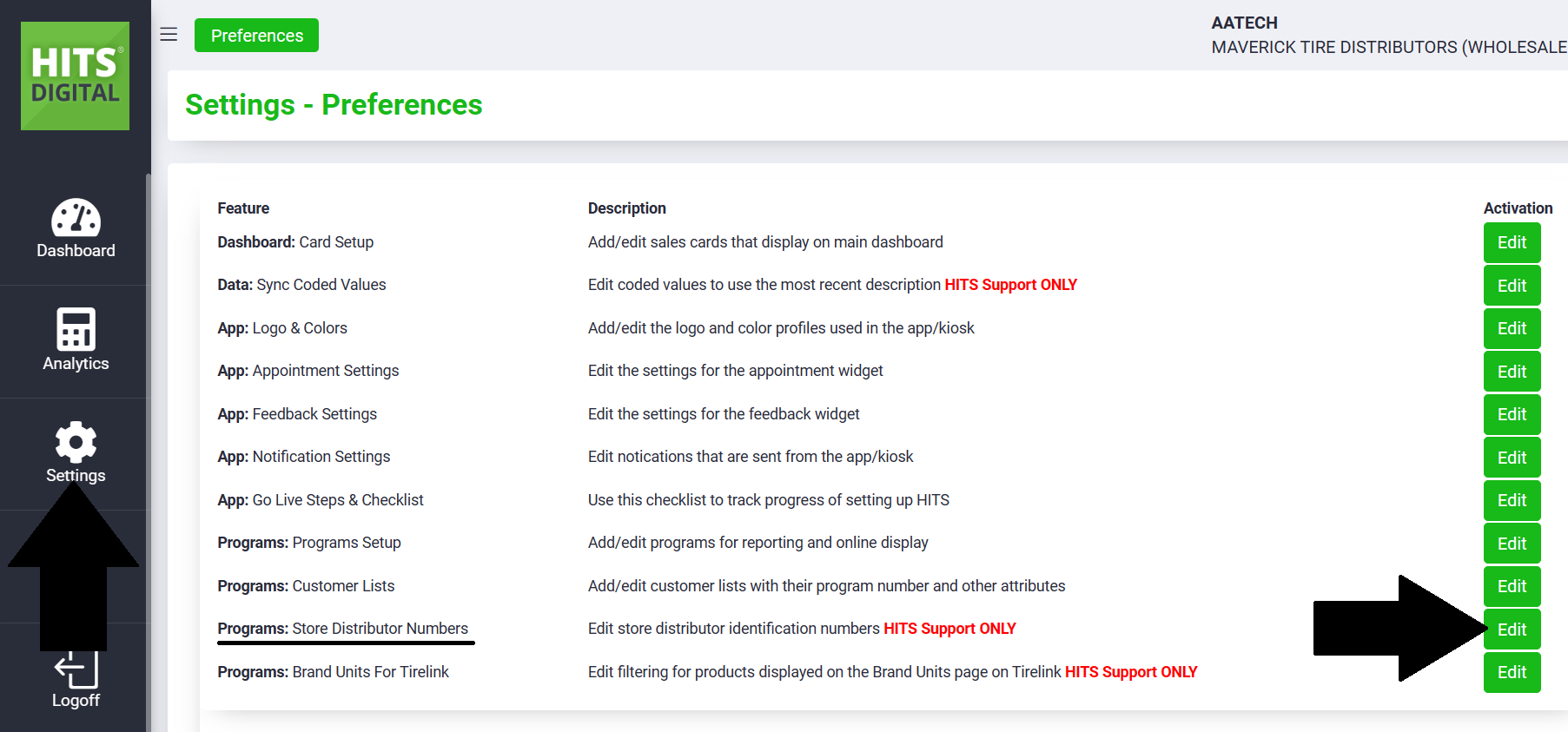
Click Add or Edit to edit a store list.
This will provide the ability to download / upload a spreadsheet (csv) store mapping list.
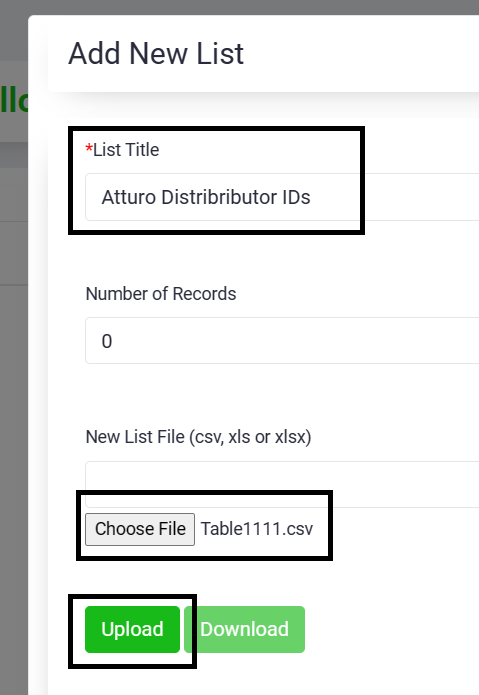
To upload a new list:
- Click Add
- Give the list a List Title
- Choose File (from your computer)
- Upload
- Submit (to save)
It is critical that the first column of your store mapping list be the HITS Store # !
These lists are shared across your entire corporate, so anyone with permission can collaborate by keeping these lists current.