
TireCAT powered by TireConnect allows you to quickly search, price, and order tires directly within HITS®. It connects to multiple tire suppliers as well as your own inventory, making it easy to find availability and add items to tickets.
TireConnect is an industry-leading tire sourcing tool connected to 40+ national and regional suppliers. It can also be used as a website solution, allowing your customers to search, price, and order tires online.
Using TireCAT in HITS
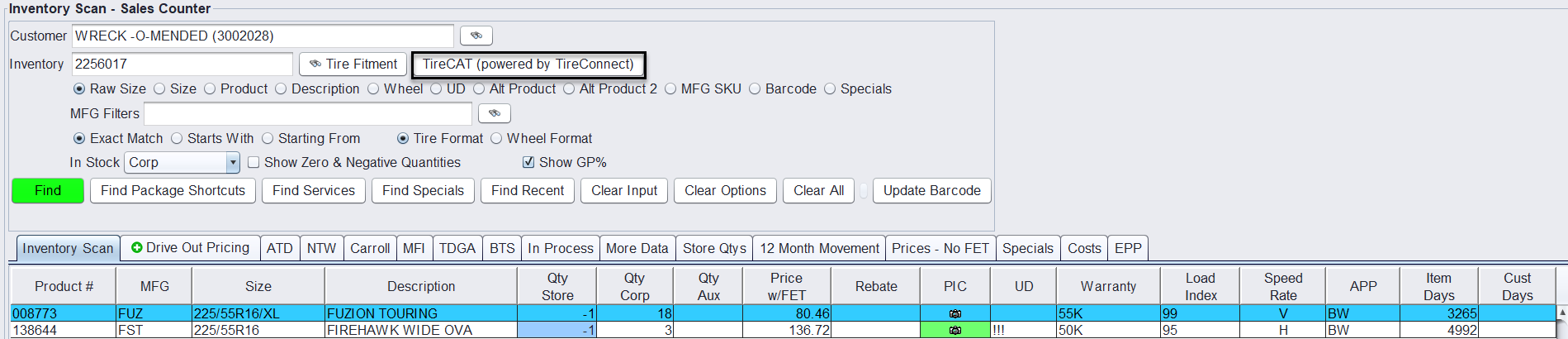
- From a ticket in HITS® or from Inventory Lookup, if an item is not in stock, click the TireCAT (powered by TireConnect) button.
- You can also:
- Search by Product #, or
- Click the TireCAT button on the toolbar
- TireConnect will launch using the tire size entered.

Understanding Tire Results & Availability
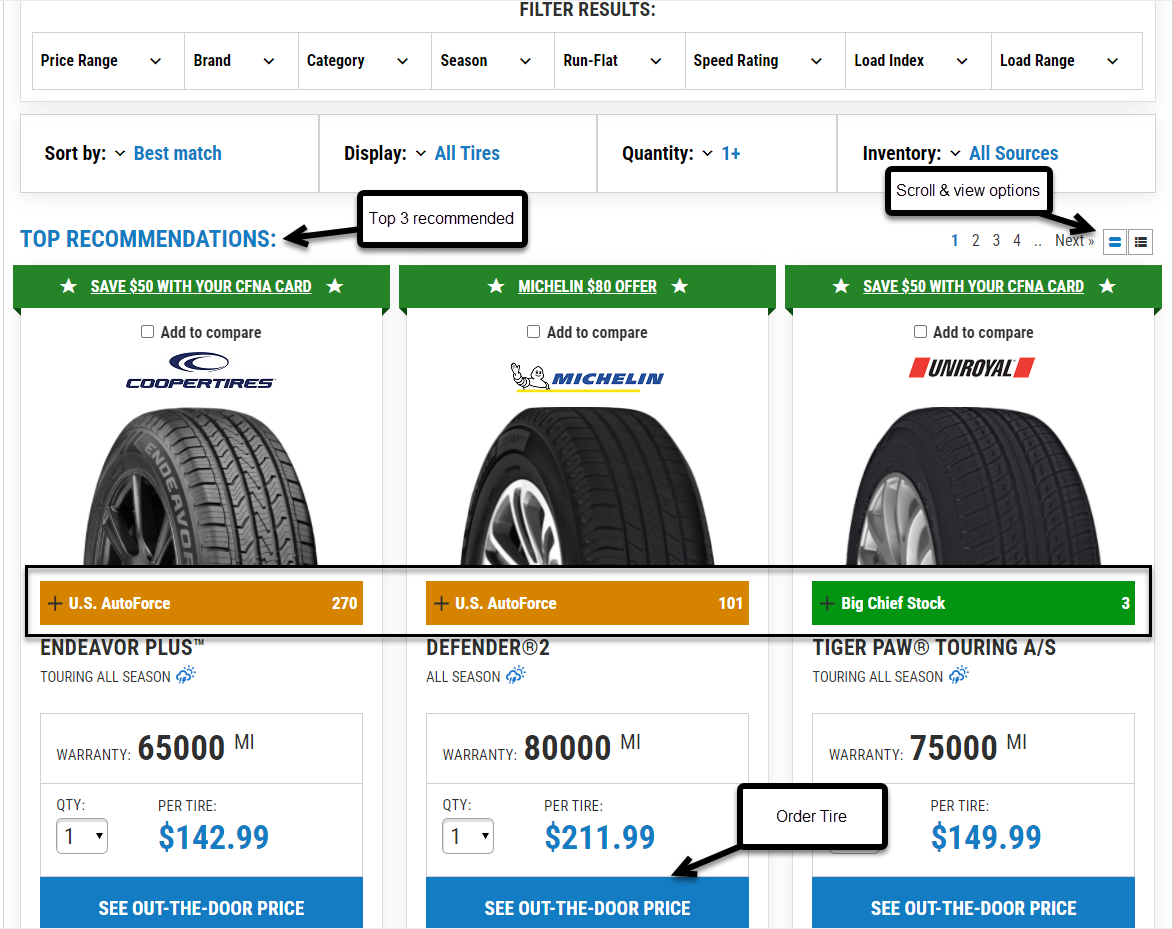
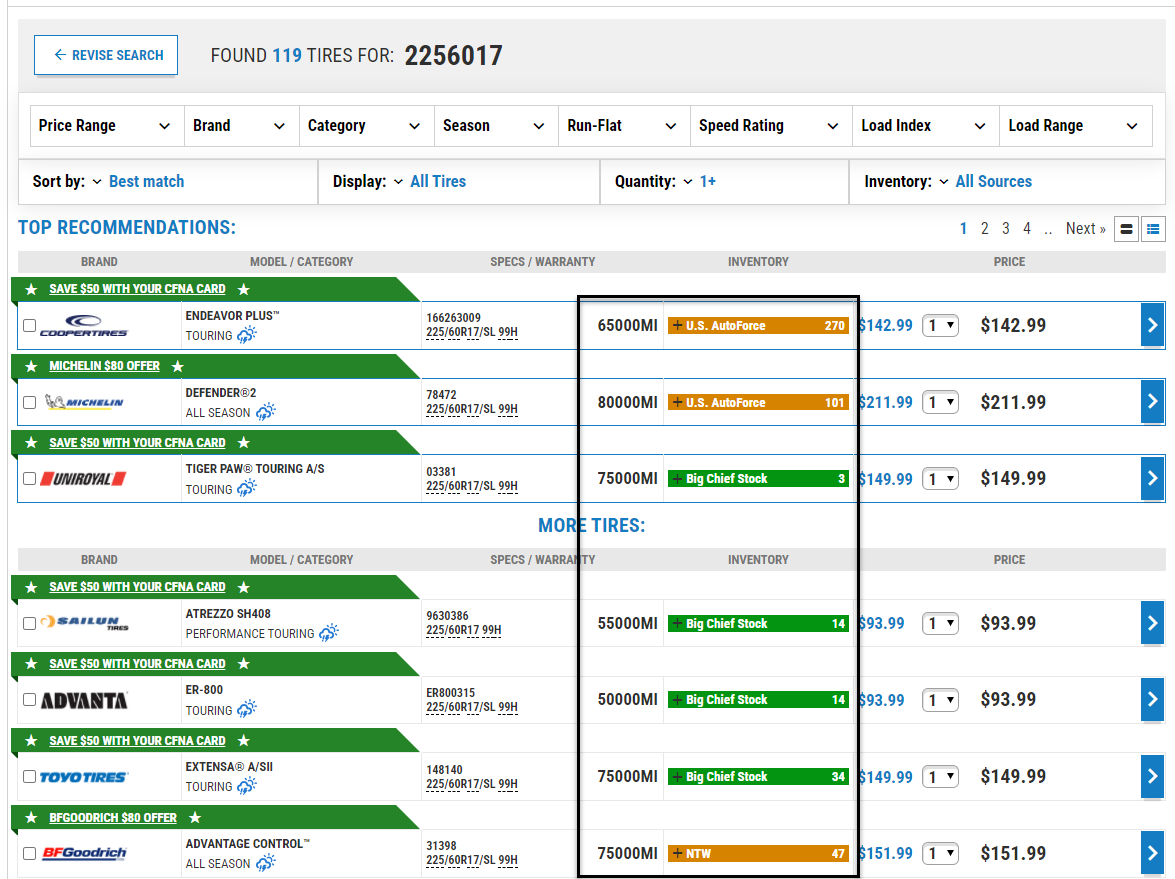
When TireConnect opens, tire results are displayed based on your search. The screen includes several features to help you review options and place an order:
- Top Recommendations: The system displays the top 3 recommended tires at the top of the results.
- Savings & Promotions: Any available rebates or promotions (such as “Save $50”) appear within the tire listing.
- Availability (Inventory):
- Orange bar: Indicates supplier availability with quantity shown
- Green bar: Indicates in-stock or preferred inventory with quantity shown
- Viewing Options:
- Use the icons in the top right to switch between image view and table view
- Scroll or use page navigation to view additional results
- Ordering Tires:
- Click See Out-the-Door Price to view pricing and begin the ordering process
- From there, continue and add the tire to your HITS® ticket
Adding Tires to a Ticket
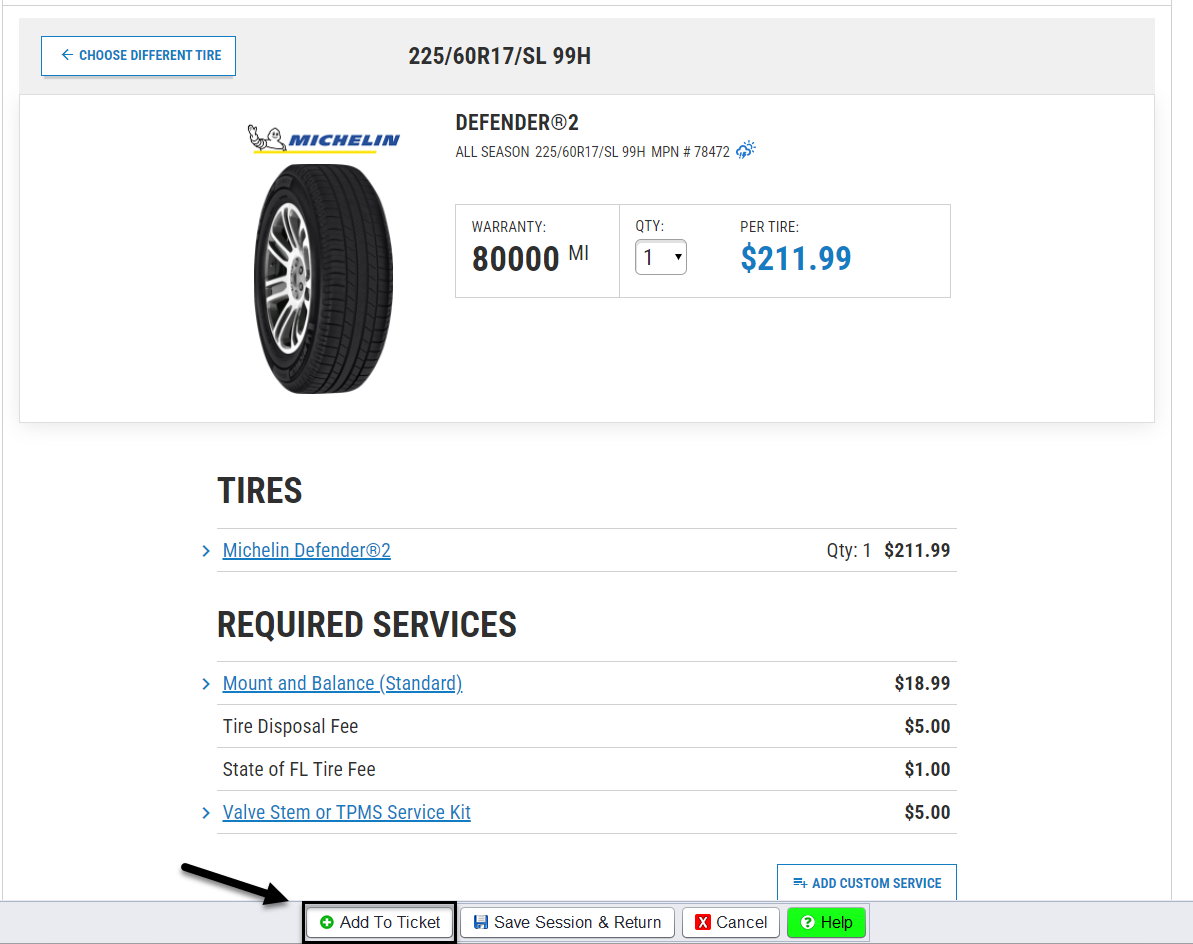
- Select the OUT-THE-DOOR PRICE on the desired tire from the results.
- Click Add to Ticket to bring the item into your HITS quote or work order.
- If the tire comes from:
- Your inventory – your product number is used
- A supplier – the supplier’s product code is used (can be edited)

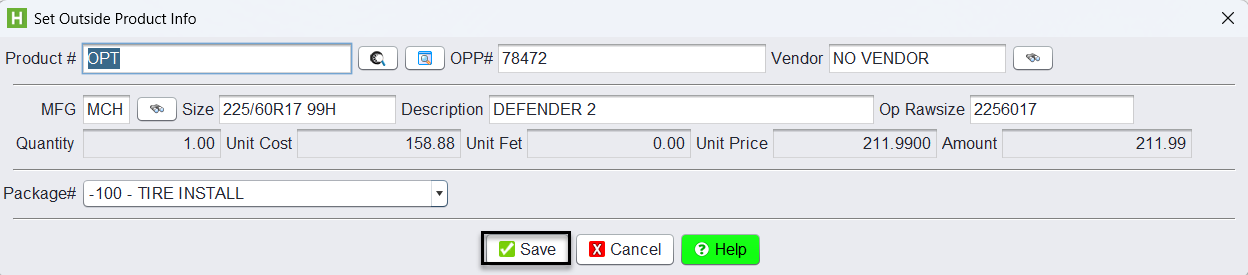
When a tire is added to a ticket, a link to the TireConnect quote is also saved. This allows you to reopen the quote at any time to review or complete the order.
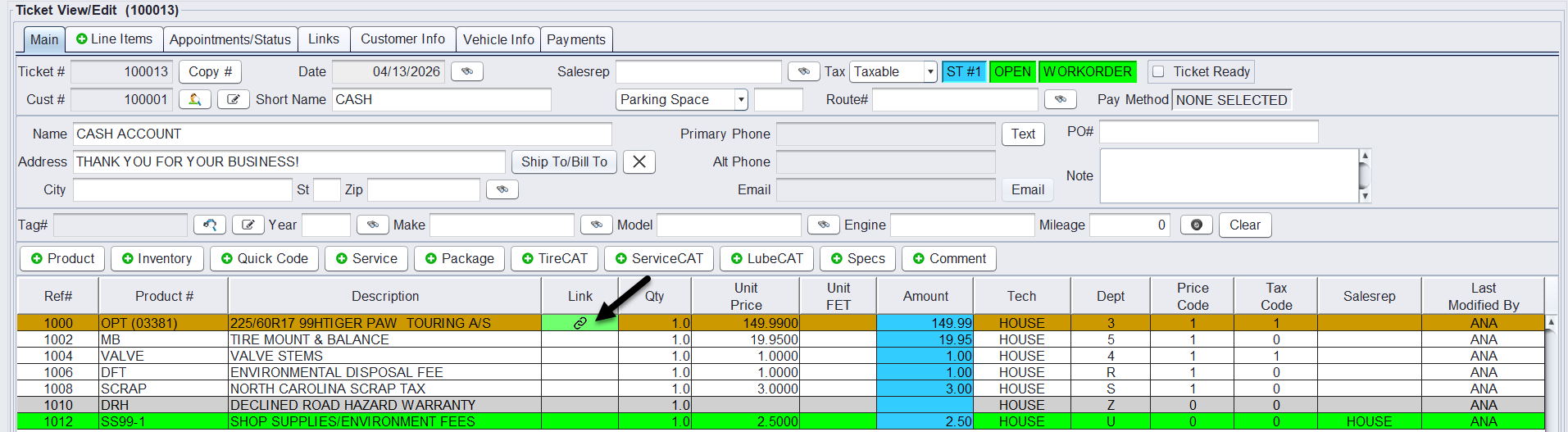
Below is another view:
TireConnect Website Integration
TireConnect also provides a website solution that allows your customers to search for tires, compare options, and place orders directly through your website. For more information on TireConnect, visit: https://www.tireconnect.ca/