
Vehicle Service Reminders, or VSRs, are a powerful tool in HITS that notify customers when their vehicles are coming due for scheduled service intervals. Using VSRs helps your shop stay proactive with customer communication, ensures vehicles are maintained on time, and supports repeat business.
How VSRs Work in HITS
HITS provides VSR capabilities in three ways:
1.) Post-Sale Marketing Programs
Integrated with providers such as CustomerLink, DriverSide, DemandForce, MPI, and Mitchell One Social CRM. These services can automate customer follow-up via email, mail, or text.
Note: Each provider offers different features—you may want to research them independently.
2.) In-House VSR Email
HITS also allows you to send out VSR emails directly from your system. While third-party integrations typically offer more robust options, the in-house VSR email system is a good starting point.
Contact the HITS Technical Support Center if you’d like to enable this option.
3.) Point of Sale Reminders
VSRs can also appear when you’re creating tickets, giving staff instant visibility into which services are due.
Setting Up VSR Codes
To enable VSRs, your system must be configured with VSR codes.
Step 1: Setting Up VSR Codes
Prepare a CSV spreadsheet with the following columns:
- Product Number
- VSR Code
- Service Days
- Service Miles
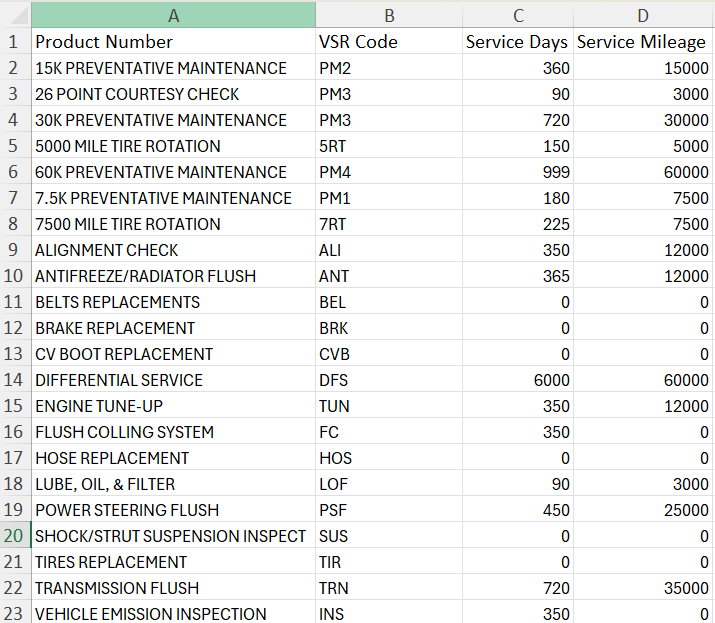
Email the spreadsheet with the VSR codes to Tech Support at tech@aasys.com. **The VSR Code does not need to match the existing product number**
Example Setup:
- Product: 5,000 Mile Tire Rotation
- VSR Code: 5RT
- Service Days: 150
- Service Miles: 5,000
Once your spreadsheet is processed, your VSRs will be active in the system under Views>Administration & Utilities>Corporate>VSR Code Edit. (This is where you can come and edit or add new VSR codes.)
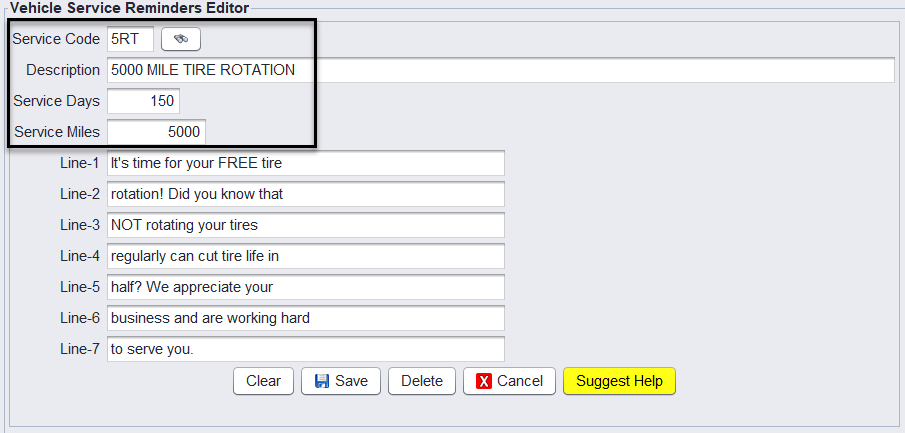
⚠️ Lines 1–7 in the VSR Code Edit screen were originally for postcard mailers and can be ignored for email reminders.
Step 2: Assign VSR Codes to Products
Add the VSR code to the appropriate products in the system.
- Go to Views>Administration & Utilities>Inventory>Inventory Add/Edit
- Search and select the desired product. (e.g. ROT= Tire Rotation)
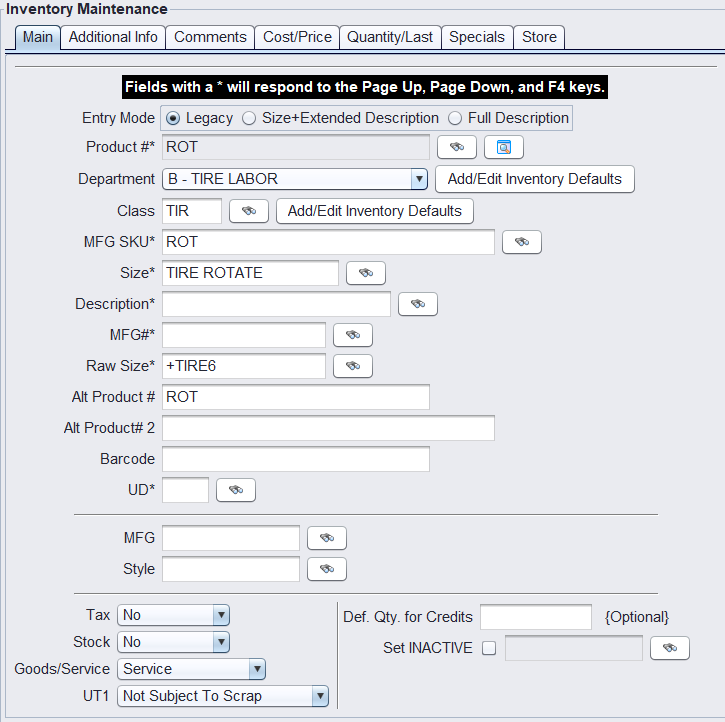
- On the Additional Info tab, assign the appropriate VSR code (e.g., 5RT).
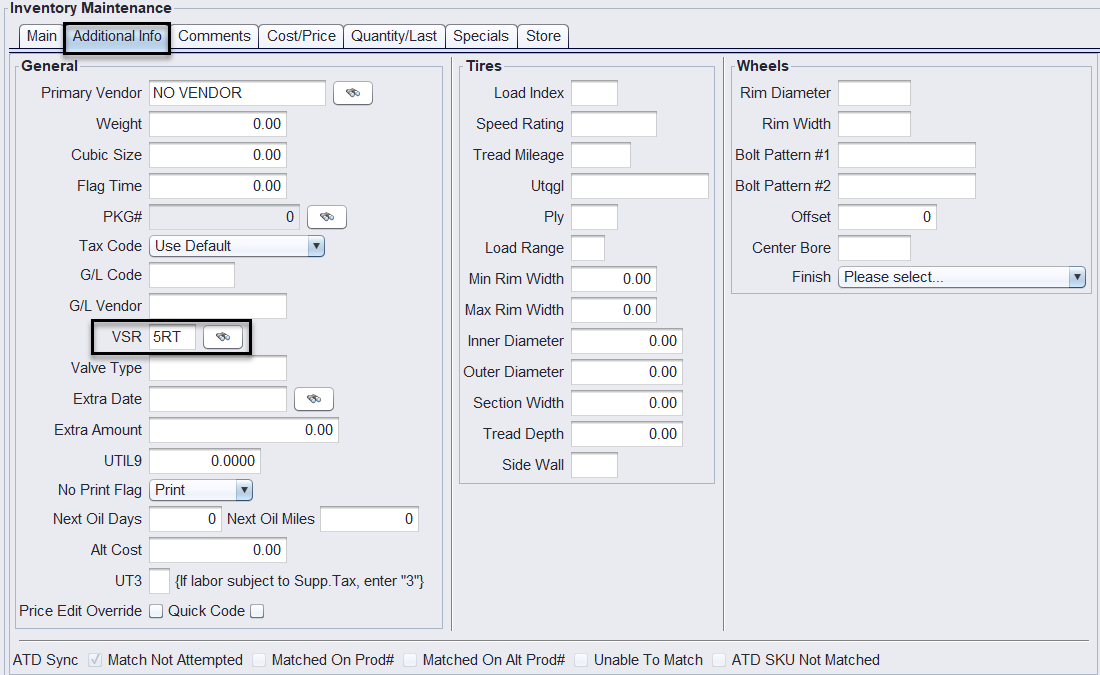
- Save your changes to the product.
Viewing VSRs at the Point of Sale
When your system is set up for VSRs:
- Create a new ticket and add a vehicle and customer email.

- If the vehicle is due for service, a VSR pop-up window will automatically appear when you go to add line items to the ticket.
- Yellow → Service is coming due by date.
- Red → Service is due by both date and mileage.
- No Highlight → Service is not yet due.
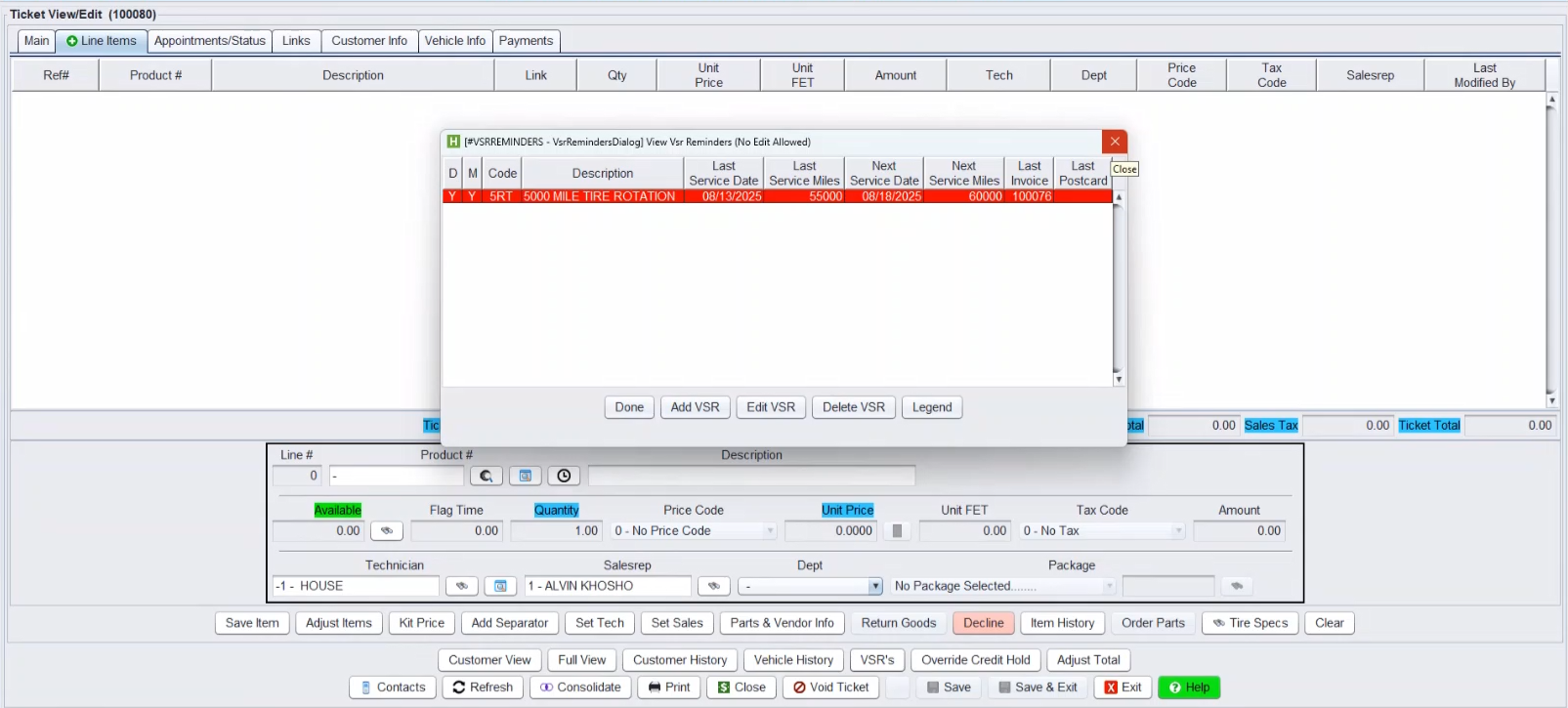
Example:
- 5,000 Mile Tire Rotation – Highlighted in yellow (coming due by date).
- Alignment Check & Transmission Flush – Highlighted in red (due by date and mileage).
- Lube Oil & Filter – No highlight (not yet due).
After reviewing, click Done to continue creating the ticket.
You can Edit or Delete the VSR here, this will allow you to move the reminder out to another date or mileage, or remove the reminder all together.
Sending the VSR
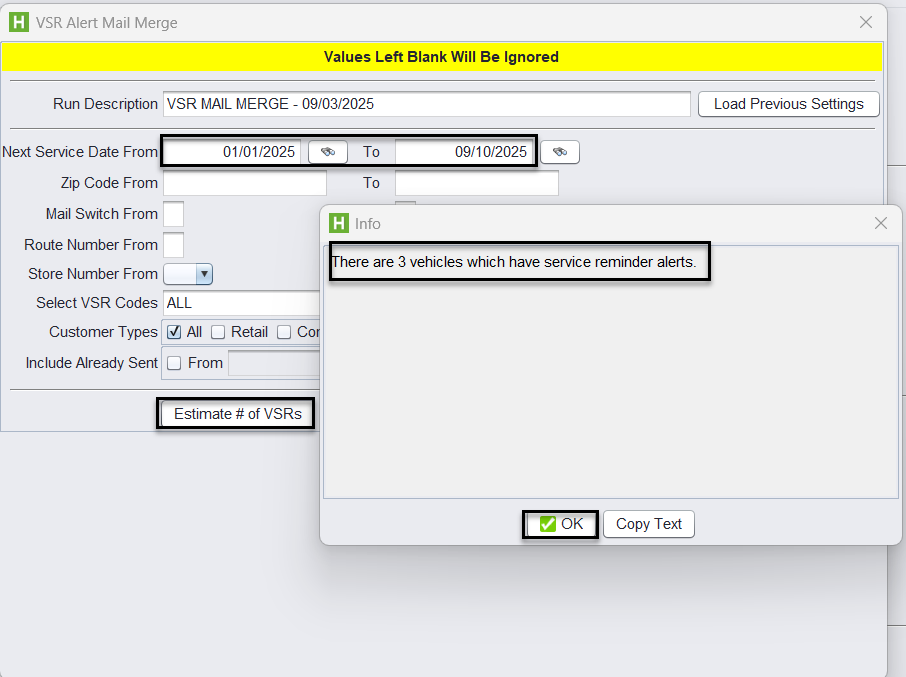
VSR’s must to be sent manually by going to Views>Administration & Utilities>Utilities>Vehicle Service Reminders
1.) Set your filters and select Estimate # of VSRs to preview results.
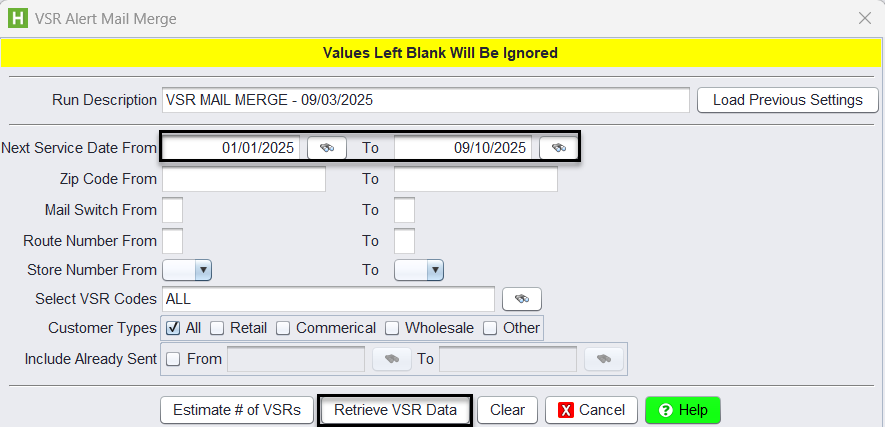
2.) Select Retrieve VSR Data to process.
3.) Confirm the Email Subject Line (default) and set up your Email Template with Tech Support. Templates can include your logo and contact details.
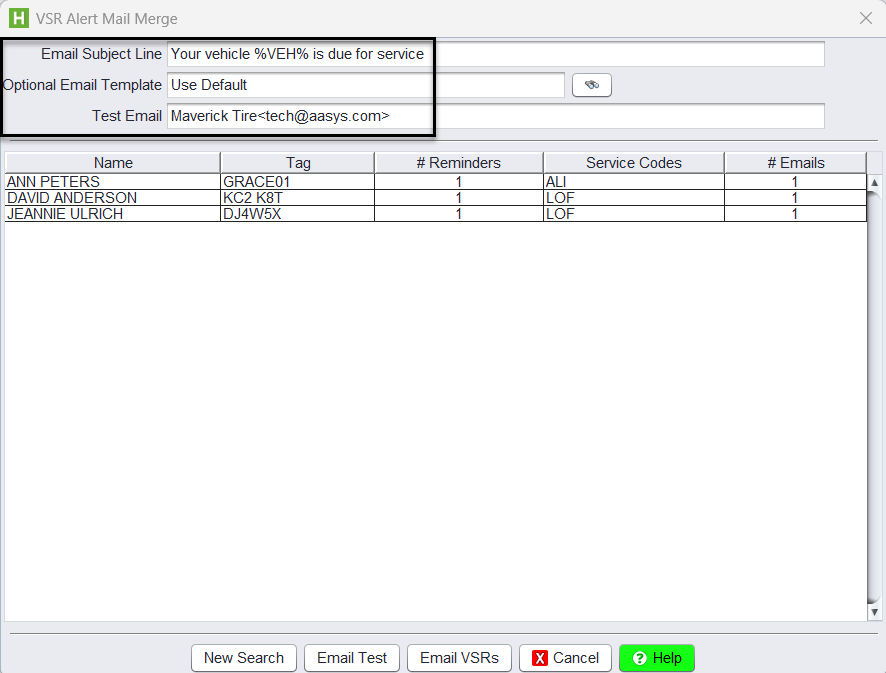
4.) Use Test Email to send to your own address and verify formatting.
5.) Once approved, select Email VSRs to send reminders to customers.
Why Use VSRs?
- Boost Sales: Helps staff recommend services at the right time.
- Build Trust: Keeps customers confident in your attention to their vehicle’s needs.
- Encourage Loyalty: Drives repeat business through consistent reminders.
- Flexible Delivery: Expand with third-party providers for robust email, mail, and text campaigns—or start with HITS’s built-in VSR email.
✅ Recommendation: If you want robust email or notification capabilities, we suggest setting up one of the third-party integrations listed above. For quick, in-house reminders, BPOS’s built-in VSR email is available as well.