
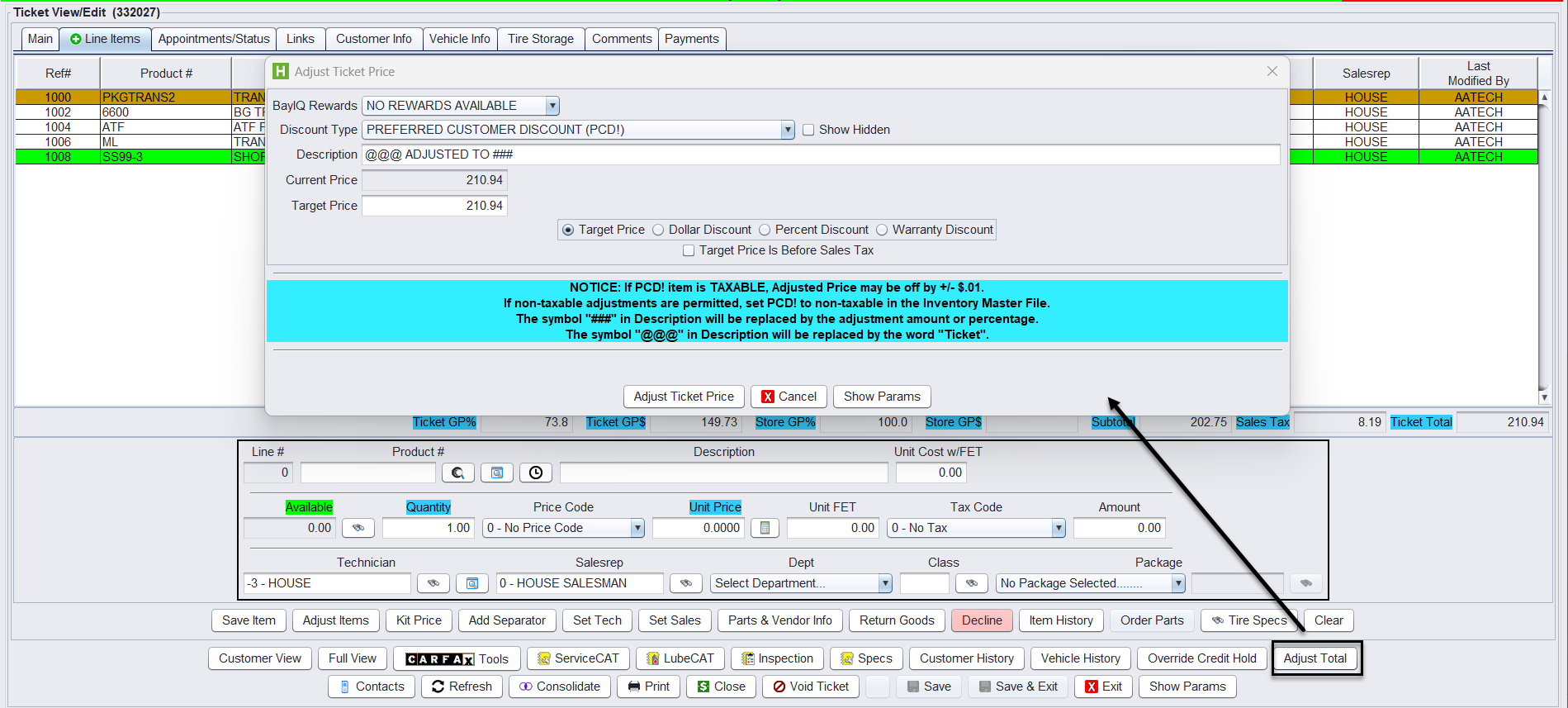
If you want to round a cash ticket total so you do not need pennies, use Adjust Total on the ticket. You can also update the prices of service packages you use frequently.
Adjust a ticket total
- Complete the ticket and review its items, taxes, and current total.
- Select Adjust Total and enter the total you want the customer to pay.
- Review the adjustment and final total before taking payment.
For example: If a ticket totals $210.94 and the customer is paying cash, you could use Adjust Total to make the ticket $211.00. Choose the amount according to your store’s cash handling policy. The adjustment applies to that ticket; it does not change the prices of the underlying items.
Update frequently used service package prices
To change the regular price of a service package, follow the steps in Creating, Updating, and Using Service Packages. Start with the services you sell most often and review their updated prices on a ticket.
Sales tax and other items may still affect the final ticket total. Use Adjust Total when a cash total needs to be rounded.
Keep in mind
Adjust Total is a manual adjustment on each ticket. Review the final total before closing the ticket. A change to a service package’s regular price applies to future tickets that use that package.