
Occasionally, customers may be unable or unwilling to pay outstanding balances. To maintain accurate accounting records, these amounts may be written off as Bad Debt.
HITS provides a straightforward process to remove unpaid balances from Accounts Receivable (A/R) while maintaining a clear record for reporting and auditing.
This guide will walk you through:
-
- Creating a credit memo to remove a customer balance
- Applying the credit as a bad debt write-off
- Running reports to track all write-offs
- Best practices and permission requirements
Steps
1.) Access Bookkeeping View to Create a Credit Memo
Go to Views > Bookkeeping, then click the Credit icon. (Some sites navigate via Received on Account > Add/Edit to reach the same screen.)

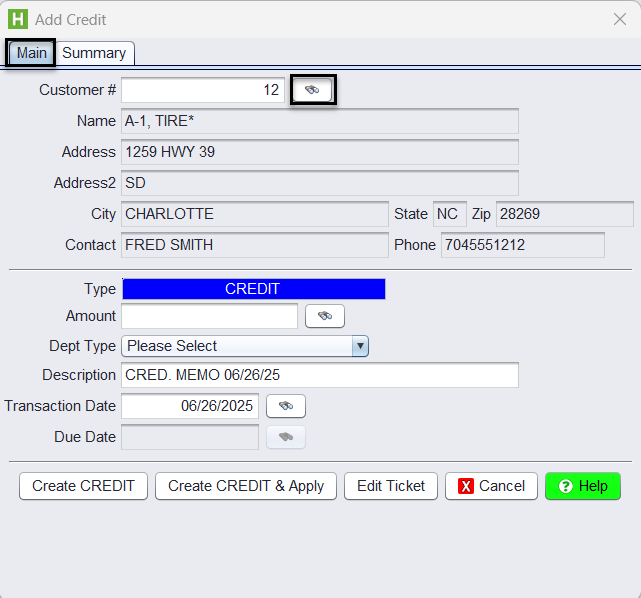
2.) Choose the customer
Use the binoculars next to Customer # to look up and select the correct customer.
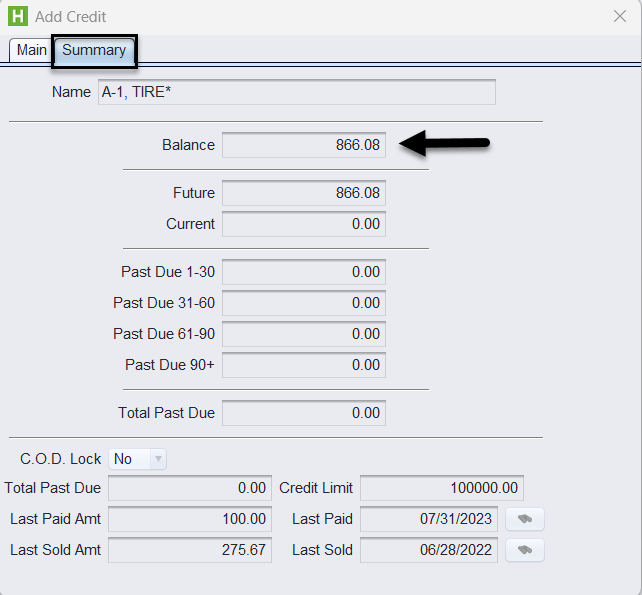
3.) Click the Summary tab and verify the amount you will be writing off
Confirm the customer’s total A/R balance (this is the exact amount you’ll credit).
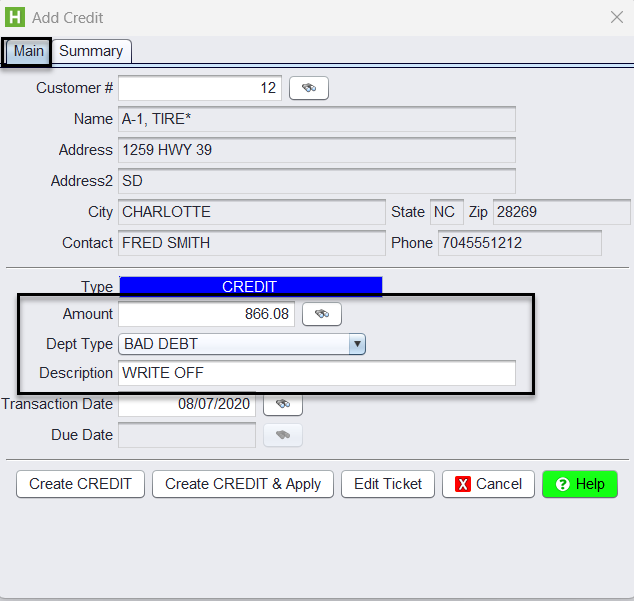
4.) Enter the write-off credit
-
- Return to the Main tab
- Enter the Credit Amount (the total to be written off)
- Set the Description to a consistent keyword like BAD DEBT/WRITE OFF
- If your system uses ROA Dept Type: Set ROA Dept = BAD DEBT (BD) (see ROA Department Types)
- If your system uses Payment Type: Select the BD Credit Card Code (must be added to Credit Card Codes to represent Bad Debt)
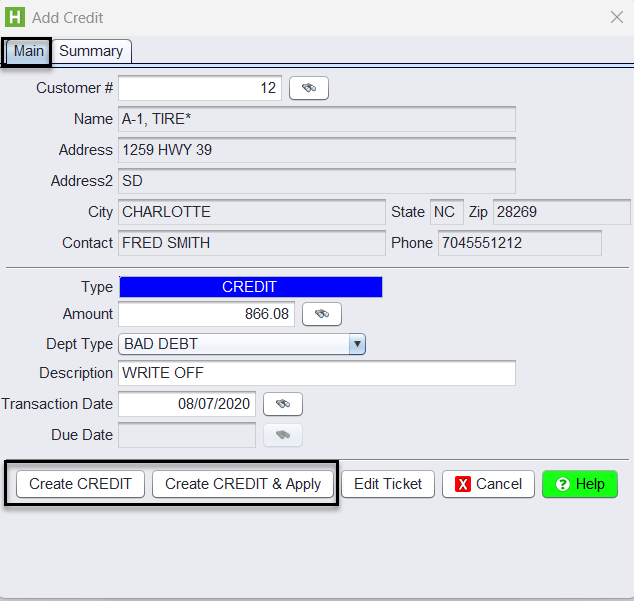
5.) Apply the credit
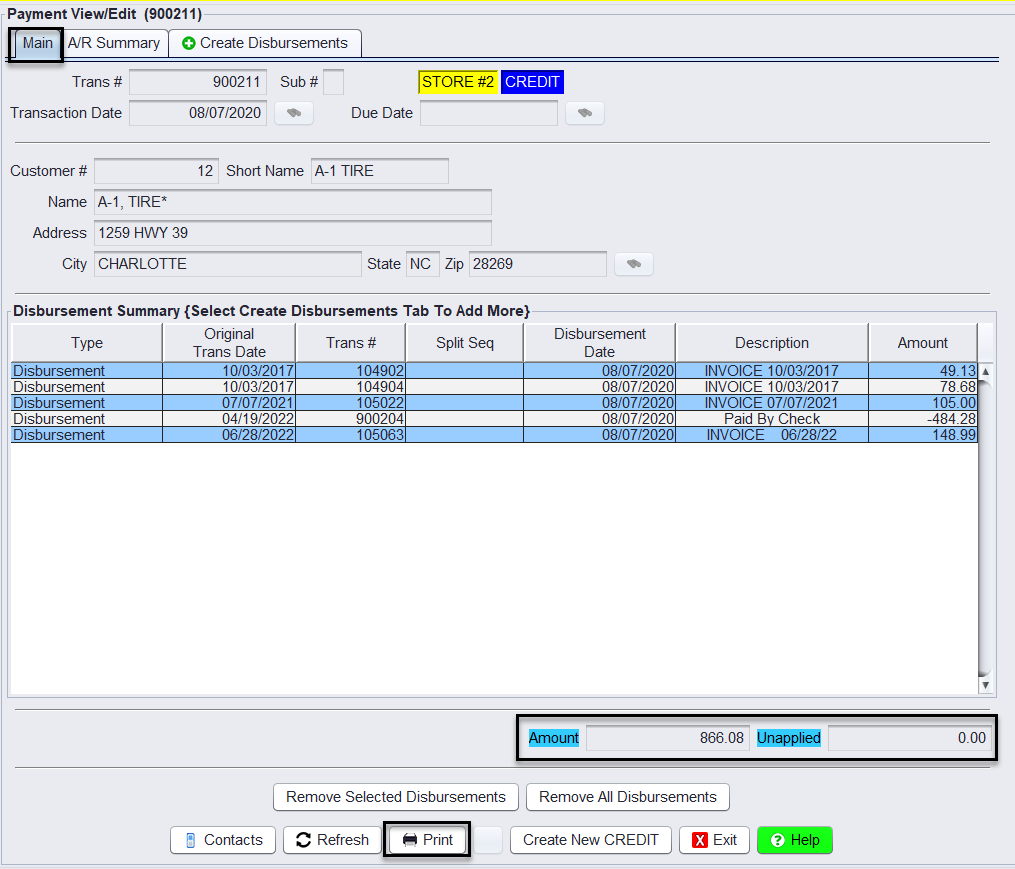
Click Create Credit & Apply to auto-disperse across all open items (use Create Credit only if you need manual dispersal), this will print you to the Payment View/Edit screen.
6.) Print the Credit to finalize.
7.) Report on write-offs
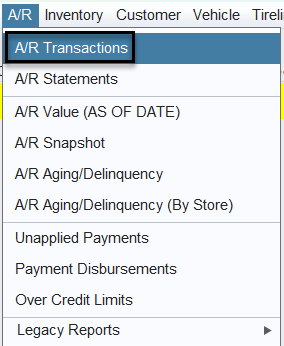
- Go to Views > Reports > A/R > A/R Transactions
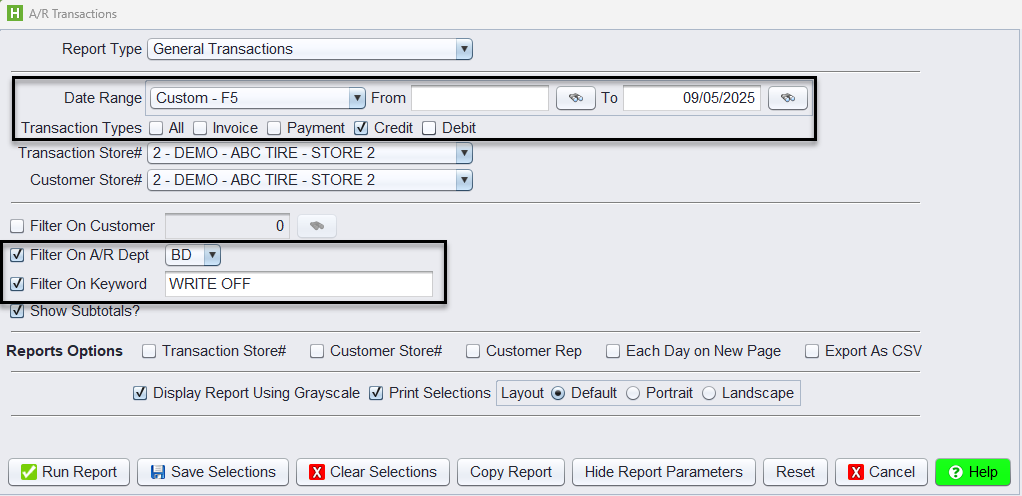
- Set Date Range (e.g., This Year) → (optional)
- Credits only (optional)
- Apply one of the following filters:
- If using ROA Dept Type: Filter on A/R Dept = BD
- If using Payment Type: Filter on Credit Card Code = BD
- Or filter on Keyword = the exact description (e.g., WRITE OFF)
- Click Run Report.
Best Practices
-
- Consistency: Always use the same description keyword (BAD DEBT or WRITE OFF) for tracking.
- Review Before Write-Off: Verify balances carefully in the Summary tab.
- Permissions: Ensure users have the required permissions to post credits and run reports: P17, P85, P57 (reference Permission Switches)
- Audit Trail: Use reports regularly to review write-offs and monitor patterns in unpaid balances.