
How to decline a product or service line on a ticket in HITS. Declining work allows you to document customer refusals while preserving the line item for future reference in history and reporting.
📍 What Happens When You Decline an Item?
When a line item is declined:
-
- It turns light red in the Line Items tab.
- The dollar amount for that line is removed from the ticket total.
- It appears as “Declined” on the printed workorder/invoice.
- It stays in Customer and Vehicle History for future reference.
- It can be toggled back to billable if the customer changes their mind and wants to perform the work, before the ticket is closed.
📝 Note: Declined items are not deleted — they remain on the ticket and can be reinstated.
🛠️ How to Decline a Line Item
You can decline a line item from the Line Items tab using either the Decline button or the right-click menu.
✅ Method 1: Using the Decline Button
1.) Go to the Line Items tab.
2.) Click to highlight the item(s) you want to decline:
-
-
-
Use your mouse to click and drag, or
-
Hold Ctrl and click each line individually.
-
-
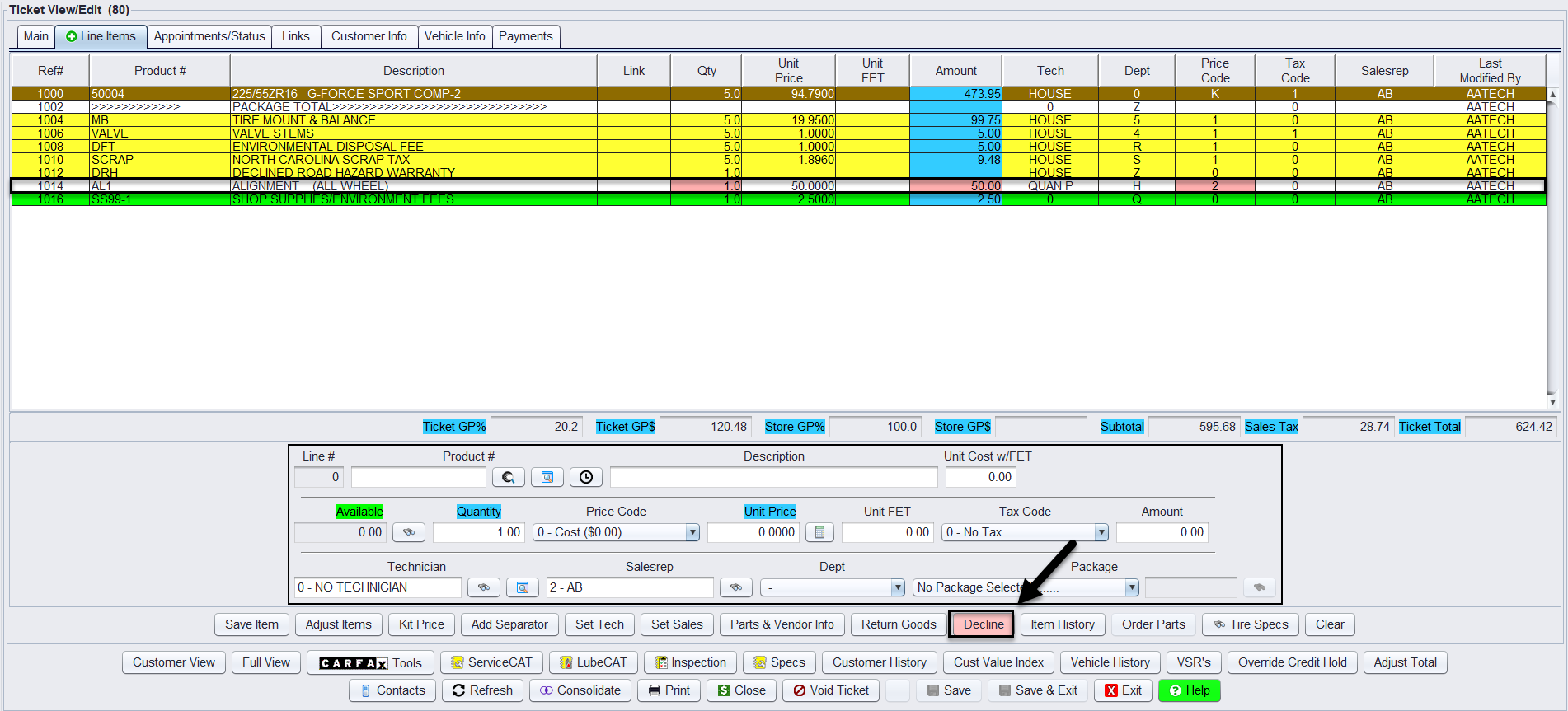
3.) Click the Decline button located under the editing fields.
🟥 The line(s) will turn light red, and the amount will no longer be included in the subtotal or ticket total.
✅ Method 2: Using the Right-Click Menu
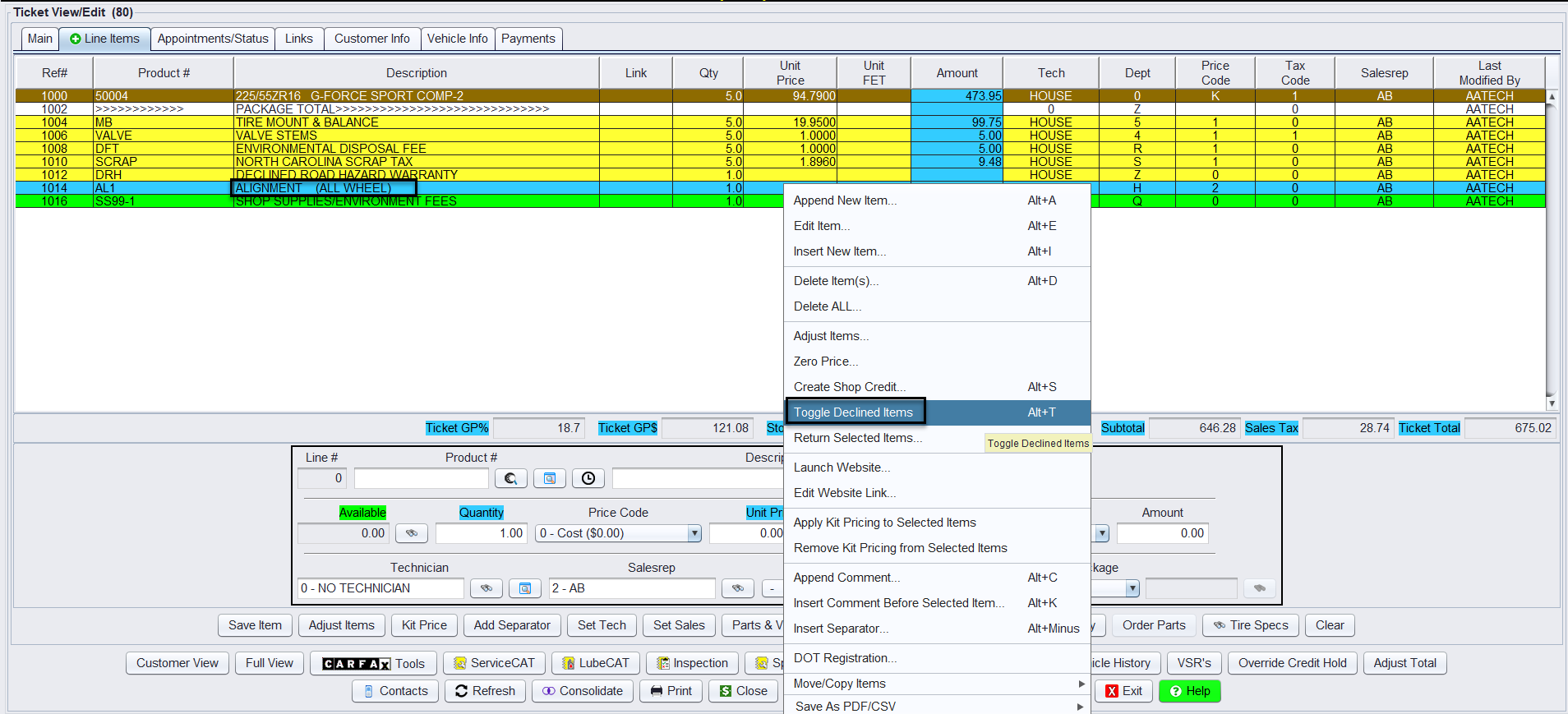
1.) Right-click on any line item in the ticket.
2.) Select Toggle Declined Items from the menu.
-
-
- You can also use the shortcut Alt + T.
-
3.) The selected line will be toggled between declined and active.
After declining the line item, you can further categorize the declined work on the printed ticket as:
-
Declined – The customer has refused the service.
-
Recommended – The service is not urgent but advised.
-
Suggested – A helpful but optional service or part.

Note: This is a Store System Setting. Reach out to HITS Technical Support for more information.
🔁 Reversing a Declined Line
To make a declined line billable again before closing the ticket:
1.) Highlight the red (declined) item(s).
2.) Click Decline again or use Toggle Declined Items from the right-click menu.
✅ The line returns to its normal state and its price is re-added to the ticket total.
📝 Notes & Best Practices
-
- Declining work is helpful for tracking refused safety items or services to follow up on later.
- Do not delete declined lines — use the decline toggle to preserve the audit trail.
- Declined lines will still show in Customer and Vehicle History.
- You must un-decline an item if it should be billed before closing the ticket.